YouTube Audience Retention in 2026 and How to Keep Viewers Watching Longer
Posted on November 6, 2024 by Jason Caldwell
YouTube audience retention is the one metric that separates growing channels from stuck ones. It tells you how long people watch your videos before they click away. It also tells the YouTube algorithm if your content is worth showing to more people.
If your retention is low, the algorithm pulls back. It shows your video to fewer people. It stops recommending it in search and suggested feeds. Your channel stops growing. Not because you posted the wrong thing. But because viewers did not stay long enough to send the right signals.
Here is the good news. Retention is fixable. You do not need a bigger budget. You do not need a better camera. You do not need years of experience. You need to know what causes viewers to leave. Then you make small changes that keep them watching. This guide covers all of that. What good retention looks like in 2026. Where most creators lose viewers. What actually works to fix it.
What YouTube Audience Retention Means and Why It Matters
YouTube audience retention is the percent of a video that the average viewer watches. Say your video is ten minutes long. The average viewer watches five minutes. Your retention is 50 percent.
You can find this in YouTube Studio under Analytics. It shows two numbers: average percent viewed and average view duration. Both matter. But the retention curve holds the real data.
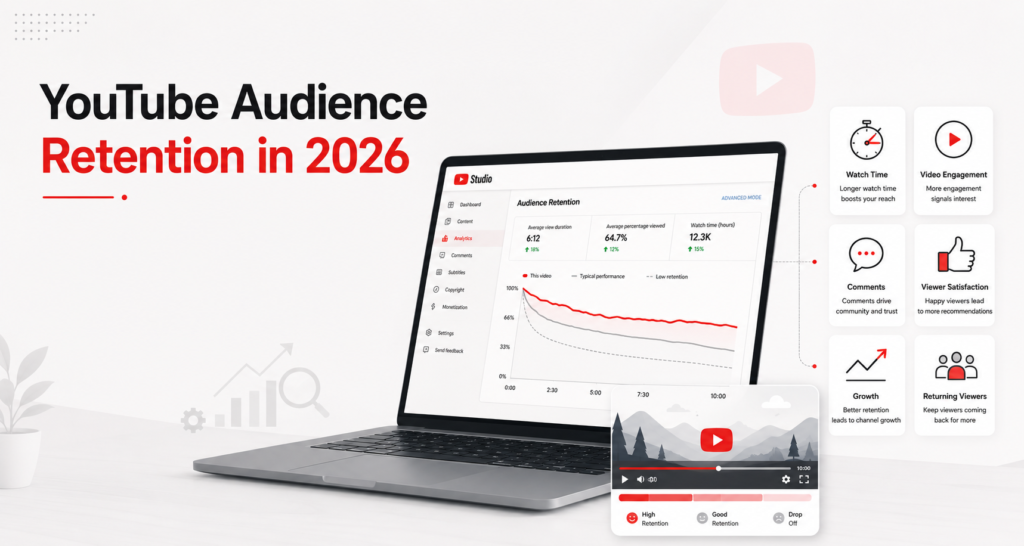
The retention curve is a graph. It shows the exact moment viewers stop watching. Picture a curve that holds steady across the whole video. Now picture one that drops fast in the first minute. These are two very different stories. The shape of your curve tells you where to focus your energy.
Why the Algorithm Weights Retention So Heavily
YouTube’s algorithm uses retention as a trust signal. A video that holds viewers for 60 percent of its runtime tells the algorithm something. It tells the algorithm viewers are getting real value. The algorithm responds by showing that video to more people.
In 2026, YouTube’s algorithm weighs average view duration about three times more than raw view count. This matters when YouTube decides what to recommend. Picture a video with 1,000 views and 55 percent retention. Now picture one with 5,000 views and 20 percent retention. YouTube pushes the first one harder. More views does not mean better reach. Better retention does.
High retention also lifts every other metric on your channel. It raises your watch time, which helps you hit YouTube Partner Program goals faster. It makes your videos more appealing to advertisers, which raises your CPM. And it feeds the YouTube algorithm with the trust signals it needs to push your content further.
YouTube Audience Retention Benchmarks for 2026
Before you fix your retention, you need to know what good looks like. These numbers come from 2026 industry data across platform research and creator surveys.
By Overall Percentage
|
Retention Rate |
What It Means |
| Below 30% | Needs real work — the algorithm is holding back reach |
| 30% to 40% | Average — your channel may grow slowly, but there is clear room to improve |
| 40% to 50% | Good — the algorithm is working in your favor |
| 50% to 60% | Great — strong recommendation signals |
| 60% and above | Elite — the algorithm pushes this content hard |
The average across all YouTube content sits between 35 and 45 percent in 2026. Say you are in that range. Your content works, but you are leaving real growth on the table.
By Content Type
Not every niche performs the same way. Here is how retention breaks down by content type.
Tutorial and how-to content usually holds between 45 and 60 percent retention. Viewers come with one goal: they want to learn something. They stay because they need the answer.
Gaming content averages between 25 and 40 percent. Long gaming sessions and commentary formats see lower retention. Viewers dip in and out instead of watching straight through.
Talking-head and vlog content sits between 30 and 45 percent. Retention depends a lot on personality and pace. Strong personalities hold viewers longer. Slow pacing loses them fast.
YouTube Shorts hold a higher bar. Aim for 70 percent or above as your baseline. The Shorts algorithm filters out low-retention content fast. The feed moves quick, and viewer patience runs low.
What Good Looks Like in Practice
A 10-minute tutorial at 48 percent retention is doing well. A 10-minute gaming video at 38 percent is doing well. A 60-second Short at 55 percent needs work. Always check your retention against the right benchmark for your content type and length.
The Three Types of Retention Curves
Your curve’s shape tells you more than the average number alone. Here are the three patterns you will see most, and what each one means.
The Cliff Drop
This happens when retention falls fast in the first 30 to 60 seconds, then levels off. It means viewers clicked on your video but left almost right away. Your thumbnail and title made a promise. The start of your video did not live up to it. The fix is almost always in the first 30 seconds. The hook is too slow, too plain, or too far from what the title promised.
The Gradual Decline
This is the most common curve. Retention drops slowly through the whole video. This is normal. Some viewers always leave as a video goes on. Your goal is to slow that drop as much as you can. A slow, steady decline is healthy. A steep one means the pace is off, or the content is losing focus.
The Flat Curve
This is the goal. Retention stays high across the whole video, with only a natural drop at the very end. It means viewers who started the video stayed all the way through. This happens when your content gives steady value. It moves at a good pace. It lives up to what the title and thumbnail promised, from start to finish.
Why Viewers Leave — The Real Causes of Low Retention
Most creators focus on what to add to their videos to fix retention. A better approach is to first understand what makes viewers leave.
The First 60 Seconds Are Key
Data shows that 71 percent of viewers decide whether to keep watching within the first three seconds. And 55 percent of viewers drop off within the first 60 seconds. This is true no matter how long the video is.
This is where most channels lose the most viewers. A slow intro. A long channel logo animation. A “welcome back to my channel” greeting. A long setup that delays the real content. All of these push viewers to click away before they get a real chance to engage.
Videos with a clear point in the first 15 seconds do better. They see 18 percent higher retention at the one-minute mark. That one change moves the needle more than almost anything else you can do. Just tell viewers what they will get in the first 15 seconds.
Slow Pacing in the Middle
Even when creators nail the hook, they often lose viewers in the middle of the video. A few things cause this most often. Spending too long on one point. Going off-topic. Repeating what was already said. Filling time with extra talk that adds nothing.
Viewers in 2026 expect tight pacing. They have too many other options to stay patient with a video that pads its runtime. Every part of your video should add something new. If a part does not add value, cut it.
No Visual Variety
Talking-head videos with no visual change are retention killers. Viewers need something new to look at. Their eyes keep looking for movement and change. A still shot of someone talking for ten minutes, with no visual shift, will lose viewers. This happens even when the video itself is genuinely good.
A Title That Overpromises
Say your title makes a promise. Your video does not meet it. Viewers will leave, and they will leave fast. A misleading thumbnail or title gets clicks but kills retention. The algorithm spots this pattern fast. High CTR paired with weak retention is a red flag. It tells YouTube your content does not live up to its promise.
Proven Ways to Improve YouTube Audience Retention
Start With a Hook That Earns Attention in 30 Seconds
Skip the intro music. Skip the welcome back. Get to the point in the first 30 seconds.
Your hook should do three things. Tell the viewer what the video is about. Explain why it matters to them. Give them a reason to stay. The best hooks speak to one viewer’s exact situation. Try this: “If your YouTube views dropped after the last algorithm update, here is what changed.” That beats a plain line. Something like “Today we are talking about the YouTube algorithm” falls flat.
You can also use a curiosity loop. Open with a question or a premise the video will answer, without giving the answer right away. This keeps viewers watching, because their brain wants the answer. But do not tease something and then wait too long to give it. Viewers will leave if they feel their time is being wasted.
Give Value Without Filler
Every part of your video should add something new. Before each section, ask yourself this. Picture a viewer who already knows everything said so far. Would they want to keep watching? If the honest answer is no, cut that section.
Cut filler phrases that delay the point. Lines like “So, without further ado” and “Before we get into that” do this. So does “Make sure to like and subscribe before we start.” All of these tell the viewer one thing. Value is being held back. Viewers in 2026 spot these patterns fast and leave in response.
Being brief is not the same as being shallow. You can cover a topic in depth and still keep a good pace. The trick is saying one thing well, then moving on, instead of repeating it.
Use Pattern Interrupts to Reset Attention
A viewer’s focus naturally dips every two to three minutes. Pattern interrupts are small, planned changes that reset focus before it dips too far.
A pattern interrupt can take many forms. A camera angle change. A cut to B-roll footage. A text overlay that highlights a key point. A graphic that explains something. A short pause before a new section. Or a shift in your speaking tone. None of these need to be fancy. Even a simple cut to a new shot resets a viewer’s eyes.
Plan pattern interrupts every two to three minutes through your video. This is the most reliable editing trick for slowing the gradual decline in your retention curve.
Use Open Loops to Keep Viewers Watching
An open loop is simple. It is one detail you bring up early in the video. But you do not fully explain it until later. The viewer’s brain wants to close the loop, so it keeps watching.
At natural transition points, give a quick preview of what is coming next. “In the next part, I will show you the exact framework I use for each video” is an open loop. The viewer keeps watching to get that framework. Use this trick at each major transition in your video. It is one of the oldest tools in video, and it still works well in 2026.
Match Video Length to Topic Depth
One of the most common retention problems is a video that runs longer than its topic needs. Say your topic can be covered well in eight minutes. Do not stretch it to 15 minutes just to hit a length target. That will hurt your retention in the second half.
Video length should come from the depth of the topic, not from a target runtime. Picture two videos. A short one holds 65 percent of viewers. A long one holds 25 percent. The short video wins on each metric that matters to the algorithm. Give your topic the time it needs. Then stop.
Add Strong Visuals and Editing
You do not need a full production team to add visual variety to your videos. Small additions make a real difference.
Text overlays that highlight key points as you say them help viewers follow along. They also give the eyes something to track. B-roll footage can help too. It shows what you are describing. This fills the dead air where the only visual is you talking. Zoom cuts between shots create movement without needing more than one camera. Screen recordings work well when you explain how to do something on a computer.
The goal is not to make your videos look expensive. The goal is to give viewers’ eyes something new every 30 to 60 seconds.
How to Read Your Retention Data in YouTube Studio
Knowing your average retention percent helps. But knowing where viewers leave is what lets you fix it.
Go to YouTube Studio. Click Analytics. Then click one video. Under the Engagement tab, you will see the audience retention graph. This is your retention curve for that video.
Look for the biggest drops in the curve. Each big drop points to one moment in your video. Scrub to that timestamp and watch what happens there. Is it a slow section? A topic change that loses focus? A drawn-out explanation? The moment viewers leave tells you what to change.
Also watch for spikes, moments where the retention line goes up instead of down. This shows rewatching. Viewers went back to watch that part again. That is a strong sign the content at that timestamp is highly valuable. Make more content like that.
Check the retention curve for each video you post within the first week. Over time, you will spot patterns tied to your channel. Maybe your viewers always drop at the 3-minute mark. Maybe retention holds until the 70 percent point, then falls. Those patterns point to habits in your content that you can fix directly.
Want a deeper look at using your data to guide each content choice? YouTube Analytics covers the full framework. It shows you how to read and act on your numbers.
How Early Views Shape Retention Signals
One thing shapes how YouTube reads your retention. That is how good your early viewers are, in the first 24 to 48 hours. When viewers truly care about your content the moment they find it, they watch longer. The signals they send are stronger.
For newer channels without a big fan base, getting the right viewers early is a real challenge. The channel’s current fan base is small. This limits how much early data the algorithm has to work with.
Aimed ads can help here. They put your video in front of viewers with real interest in your content type. This can build the kind of early retention data that gives the algorithm a clear signal. The content truly matches their interests. So those early viewers watch for a good stretch of time. This sets a strong retention baseline. That baseline shapes how the video reaches organic viewers later. Are your early viewers not the right fit for your channel? Then it is worth a closer look at the full picture of affordable YouTube promotion packages.
Common Retention Mistakes to Avoid
Starting with a channel logo animation before the content begins. These animations tell the viewer to wait. Viewers in 2026 do not wait. Cut it out, or move it to after the first minute of content.
Asking for likes and subscribes in the first 30 seconds. This tells viewers you care more about your numbers than their time. Save these asks for mid-video or after you have given clear value.
Going off-topic without coming back fast. A short tangent can add personality. But a tangent that runs two minutes is a problem, if it never links back to the main topic. It loses the viewers who came for the exact subject your title promised.
Ending the video with no clear next step. The final 20 seconds of a video have a big effect on whether viewers take any action. Use that time to point them to your next best video. Do not just say goodbye and fade out.
Trying to fix everything at once. Retention gets better fastest when you focus on one thing at a time. Say your hook is the problem. Spend three to five videos on just fixing your first 30 seconds. Then move to the next issue.
Frequently Asked Questions
What is a good YouTube audience retention rate in 2026?
Take most videos between five and fifteen minutes. For these, 40 to 50 percent is good. 50 to 60 percent is great. Anything above 60 percent is elite. YouTube Shorts should aim for 70 percent or higher. Check your rate against your own niche. Do not use a global average. Benchmarks shift a lot by format and content type.
Why is my YouTube audience retention so low?
The most common causes are simple. A slow start that fails to live up to the title. Slow pacing in the middle of the video. No visual change. Start by checking your retention curve in YouTube Studio to find where viewers leave. The timestamp of the biggest drop is your first thing to fix.
How do I check my audience retention on YouTube?
Go to YouTube Studio, click Analytics, pick one video, and open the Engagement tab. You will see the retention curve. It shows the percent of viewers watching at each point in your video. Use this after each upload. Spot where viewers leave. Track whether your changes help the curve over time.
Does video length affect audience retention?
Yes. Longer videos naturally have lower average retention, since more viewers drop off over a longer runtime. Picture a 15-minute video at 40 percent retention. Now picture a 5-minute video at 65 percent. Both can land close to the same total watch time. But the shorter video sends a stronger signal per viewer. Match your video length to your topic depth, not to a set runtime.
How long does it take to improve YouTube audience retention?
You can see real change in three to five videos. Just fix one issue at a time. Fixing your hook alone often shows visible gains. You will see them within the first minute of your next few videos. Steady gains across many videos build up over time. They add up to better channel-wide reach as the algorithm updates its model of your content.
Does audience retention affect YouTube monetization?
Yes. Higher retention builds more watch time, which helps you hit the 4,000-hour YPP mark faster. It also tells advertisers your fans are engaged, which raises your CPM over time. Picture two channels with the same view count. One has steady high retention. It gets better ad placements than the one with weaker engagement signals.
What should I do if viewers drop off at the same point in multiple videos?
This points to a pattern in how you build your content. Say viewers keep leaving at the three-minute mark across many videos. That means something you do at three minutes keeps losing their focus. Watch a few of your videos at that timestamp and find the common thread. It is usually a section that shifts poorly, slows down, or drifts off-topic.
Do YouTube Shorts have different retention standards?
Yes. Shorts get judged more harshly, since the feed moves fast and viewers decide in a split second. Aim for 70 percent retention as a baseline for Shorts. The most key signal on a Short is the first one to two seconds. Does the start make a viewer pause? Or does it make them swipe past? Are viewers not making it past the first two seconds? Then your first frame and sound need to be stronger.

Hi, I am Jason, a digital content strategist with 8 years of experience helping YouTube creators and brands grow their channels through data-driven content decisions. I have worked with creators across niches including tech, education, and lifestyle, and specialise in translating YouTube Analytics data into actionable growth strategies.
Categories: YouTube, YouTube Growth Tips