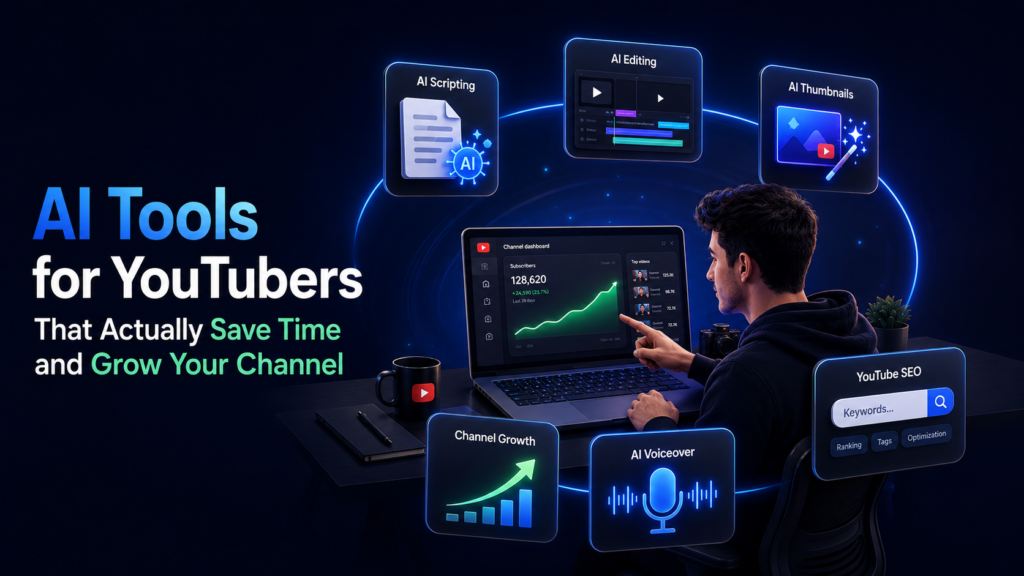
Top AI Tools for YouTubers That Actually Save Time and Grow Your Channel in 2026
Posted on July 4, 2026 by Jason Caldwell
Running a YouTube channel in 2026 means wearing every hat simultaneously. You are the writer, the editor, the thumbnail designer, the SEO strategist, the analytics reviewer, and the community manager — all before you even press record. For most creators, the production workflow is the part that stalls channel growth, not the quality of their ideas.
AI tools for YouTubers have changed this equation significantly. What used to require either an expensive production team or an impossible number of working hours can now be handled by a small, well-chosen stack of tools that handles the repetitive, technical, and time-consuming parts of content creation — freeing you to focus on the creative and strategic decisions that actually differentiate your channel.
This guide covers the most effective AI tools available to YouTubers in 2026, organised by the specific workflow problem each one solves. The goal is not to list every tool with an AI label — there are hundreds of those, and most overlap or underdeliver. The goal is to help you identify the specific bottlenecks in your current workflow and match the right tool to each one.
Why AI Tools Matter More for YouTube Creators in 2026
The numbers that define the opportunity and the challenge are worth understanding before getting into the tools themselves.
YouTube now serves over 2.8 billion monthly active users. More than 500 hours of video are uploaded every single minute. Research consistently shows that 88 percent of YouTube videos never reach 1,000 views — and the top 3.67 percent of videos account for over 93 percent of all views on the platform.
The gap between channels that grow and channels that stagnate is not primarily about production quality anymore. Cameras and editing software have become accessible enough that production polish is table stakes rather than a differentiator. The gap is about consistency, discoverability, and workflow efficiency — exactly the areas where AI tools deliver the most measurable impact.
A 2025 Adobe report found that 86 percent of digital creators now use AI tools for at least one stage of their production workflow. Channels that integrate AI into their systems are, according to multiple 2026 tracking studies, growing their subscriber bases at roughly three times the rate of channels that rely entirely on manual workflows. That is not because AI makes their content better — it is because AI makes their content more consistent, more discoverable, and more efficiently produced.
AI Tools for Scripting and Content Planning
Scripting is consistently the most time-consuming stage of content creation for channels that publish in talking-head, educational, or commentary formats. AI scripting tools have reached a level of quality where the output requires editing and personalisation rather than complete rewriting — a significant shift from even two years ago.
ChatGPT and Claude
ChatGPT (OpenAI, $20 per month for Plus with free tier available) and Claude (Anthropic, $20 per month for Pro with free tier available) are the two most widely used general AI writing tools for YouTube scripting in 2026.
Both handle script drafts, content outlines, hook brainstorming, and description writing. The quality difference between generic and useful output comes entirely from prompt specificity. A prompt like write a 10-minute YouTube script about keyword research for gaming channels produces dramatically better output than a generic prompt. If you are still building your content strategy from the ground up, YouTube content ideas for beginners gives a structured starting point before scripting begins.
Claude tends to produce more natural, conversational scripts with stronger narrative flow — which is particularly useful for channels where the speaking rhythm matters. ChatGPT handles brainstorming and multiple-angle exploration faster, which makes it better for the planning stages before writing begins.
Both tools are worth trialling on free tiers before committing to paid subscriptions. The scripting quality on free tiers is sufficient to evaluate whether either fits your workflow.
Subscribr
Subscribr ($49 per month) is a YouTube-specific scripting tool that analyses your existing videos, identifies your speaking style and pacing patterns, and generates scripts designed to match your established voice. For channels where consistency of tone matters — particularly personality-driven channels or channels with a defined educational style — Subscribr produces scripts that require less editing than generic AI output because the tool is calibrated to your existing content rather than a neutral baseline.
The pricing is significantly higher than general AI tools, which makes it most justified for channels publishing at high frequency where the time saved per script meaningfully reduces total production time.
VidIQ for Idea Generation
VidIQ’s Daily Ideas feature (free tier, $7.50 per month for Boost) uses AI to suggest video topics based on your channel’s niche and current trending searches. Rather than starting content planning from a blank page, creators who use VidIQ’s idea engine start each week with a curated list of topics that have demonstrated search demand and manageable competition in their specific niche.
The AI title predictor scores potential titles before you publish — a feature that removes the guesswork from one of the most impactful decisions in YouTube content creation. Understanding exactly which metrics to track alongside these tools is covered in detail in YouTube Analytics Explained. A one-percentage-point improvement in click-through rate, compounded across every video you publish, represents significant additional reach over a year.
AI Tools for Video Editing
Editing is the other major time bottleneck in most YouTube workflows, and it is the area where AI tools have made the most dramatic practical improvement in the last two years.
Descript
Descript is a video and podcast editor that works by editing a transcript rather than a timeline. After uploading your footage, Descript automatically generates a full transcript. You edit the video by editing the text — deleting a word from the transcript removes the corresponding footage, rearranging sentences rearranges clips, and removing filler words removes the corresponding pauses from the audio.
The practical impact for interview-style, educational, and talking-head content is significant. Creators who previously spent four to six hours editing a 20-minute video report reducing that to 60 to 90 minutes with Descript once the workflow is established.
Descript moved to a Media Minutes pricing model in 2026. The free tier includes limited transcription minutes; paid plans start at $24 per month for creators who publish at medium frequency.
CapCut
CapCut (free, with CapCut Pro at approximately $10 per month) is the most widely used free editing tool for YouTube Shorts and social video in 2026. The Pro version’s Magic Studio AI features include object removal, sky replacement, 4K upscaling, AI avatars, and approximately 200 AI credits per month for automated editing tasks.
For creators whose primary output is Shorts or social-first vertical content, CapCut handles the full workflow from raw footage to published clip with minimal technical knowledge required. The desktop app is less refined than the mobile version, which is worth noting if you plan to use it for longer-form editing.
OpusClip
OpusClip is purpose-built for one specific bottleneck: turning long-form videos into short-form clips without manually reviewing every minute of footage. The platform uses AI to analyse a full video, identify the most engaging moments relative to current social media trends, and generate vertical clips optimised for YouTube Shorts, Instagram Reels, and TikTok.
For creators who produce long-form content — interviews, podcasts, webinars, tutorials — OpusClip removes the most tedious repurposing work from the workflow. A one-hour long-form video can produce eight to twelve Shorts-ready clips in the time it would take to manually identify and clip two or three segments.
Runway Gen-4.5
Runway ML (Gen-4.5, from $12 per month) is the leading tool for AI-generated and AI-enhanced video effects. For creators producing cinematic B-roll, concept trailers, narrative content, or any video that benefits from visual effects beyond standard editing — Runway enables effects that would previously have required expensive dedicated software and technical expertise.
The Gen-4.5 model allows shots to be extended to 16 seconds per generation and supports text-to-video and image-to-video generation. At the creator level, the most practical use case is generating atmospheric B-roll that matches a specific visual mood or filling gaps in footage that were missed during filming.
AI Tools for Thumbnails and Visual Design
Thumbnails determine click-through rate. Click-through rate determines how many of the viewers YouTube shows your video to actually watch it. The compounding effect of consistent thumbnail improvement is one of the highest-leverage activities in channel growth — and AI tools have made meaningful thumbnail creation accessible without graphic design expertise.
Canva AI
Canva (free tier, Canva Pro at $15 per month) includes AI-powered design tools that allow creators to generate thumbnail concepts, remove backgrounds, resize assets, and apply brand-consistent styling without manual design work. The Magic Design feature generates complete thumbnail layouts from a prompt, which can be refined rather than built from scratch.
For creators who lack graphic design background, Canva AI reduces the thumbnail design cycle from 30 to 45 minutes of manual work to 10 to 15 minutes of generation, selection, and refinement.
Pikzels
Pikzels (approximately $19 per month) is a thumbnail analysis tool built specifically for YouTube that analyses your thumbnail against top-performing videos in your niche and scores it for visual clarity, text readability, and emotional impact. Rather than guessing whether a thumbnail is competitive, Pikzels provides data that compares your specific thumbnail against the actual visual environment it will appear in.
For channels where thumbnail quality is the primary conversion bottleneck — where analytics show high impressions but low click-through rates — Pikzels provides the diagnostic clarity that generic design tools cannot offer.
Adobe Photoshop Generative Fill
Adobe Photoshop’s Generative Fill feature (available through Adobe Creative Cloud plans) uses AI to add, remove, or modify elements in thumbnail images contextually — replacing backgrounds, adding or removing objects, and generating entirely new visual elements that integrate naturally with existing photography.
For creators who already work within the Adobe ecosystem, Generative Fill removes the manual effort from thumbnail background replacement and composite work. For creators starting from scratch, the learning curve is steeper than Canva but the output quality ceiling is significantly higher.
AI Tools for YouTube SEO and Channel Research
Publishing a video the algorithm cannot categorise is one of the most common reasons strong content fails to reach its audience. AI-powered SEO tools close the gap between good content and discoverable content.
VidIQ
VidIQ (free tier, $7.50 per month for Boost) is the most widely used YouTube keyword research and channel analytics tool in 2026. The AI-powered features include keyword research with search volume and competition data, a daily video idea engine, title scoring, competitor analysis, and trending topic alerts for your specific niche.
The free Chrome extension puts quick channel stats, recent growth indicators, estimated earnings ranges, and upload frequency data directly onto YouTube channel pages — eliminating the manual research that previously required multiple separate tools.
For creators who publish frequently enough to benefit from a continuous research loop — topic validation, title iteration, competitor monitoring — VidIQ delivers consistent value. It is less essential for channels with a fixed content format where keyword research is less variable.
TubeBuddy
TubeBuddy (free tier with limitations, paid from $4.99 per month) is a YouTube optimisation browser extension that excels at three specific functions: tag research for new videos, bulk description editing for existing videos, and A/B testing of thumbnails.
The A/B thumbnail testing feature is TubeBuddy’s most distinctive offering. Rather than guessing which of two thumbnail options will perform better, TubeBuddy serves each thumbnail to a portion of your audience and measures which generates a higher click-through rate before committing to a winner. This is the only way to know with certainty rather than estimate whether a new thumbnail is an improvement.
Most serious creators use both VidIQ and TubeBuddy — VidIQ for keyword research and idea generation, TubeBuddy for testing and optimisation. A functional starter stack using free tiers of both costs nothing.
Poppy AI
Poppy AI is a visual workspace designed specifically for YouTube competitor research and script planning. Drop any YouTube video into the workspace and the AI instantly breaks down its structure, identifies the hook approach, key talking points, and engagement patterns.
For channels in competitive niches where understanding what is working for top performers is essential to content planning, Poppy AI replaces hours of manual video analysis with an automated breakdown that covers multiple competitor videos simultaneously. The investment is higher than general AI tools, which makes it most appropriate for channels publishing at sufficient frequency that the time saving justifies the cost.
AI Tools for Voiceover and Audio
Audio quality is one of the few production elements where poor performance causes immediate viewer abandonment. AI audio tools address both the quality of recorded audio and the creation of professional voiceovers without recording studios.
ElevenLabs
ElevenLabs produces the most realistic AI voice generation currently available, supporting voice cloning, multilingual output, and a large library of pre-built voice profiles. For faceless YouTube channels that rely on narration, ElevenLabs removes the need for recording equipment, acoustically treated recording spaces, and the time cost of recording and re-recording takes.
For channels with multilingual ambitions, ElevenLabs’ voice cloning capability allows a creator’s own voice to be translated and reproduced in other languages — a production capability that would previously have required hiring multilingual voice actors.
Pricing is usage-based; creators who produce occasional narration can operate within free or low-cost tiers, while channels publishing at high volume will require paid plans.
Adobe Podcast (Enhance Speech)
Adobe Podcast’s Enhance Speech feature (currently free for standard use) applies AI audio processing to recordings made in non-ideal environments — removing background noise, reducing room echo, and improving vocal clarity to a standard that approaches professional studio quality.
For creators who film in home offices, bedrooms, or other spaces without acoustic treatment, Enhance Speech removes one of the most common quality bottlenecks without requiring any additional hardware or environmental changes. The processing takes approximately the same duration as the original recording to complete.
YouTube Native AI Tools Worth Using
YouTube has introduced several AI-powered features directly within its own platform in 2026 that creators should be using before reaching for third-party alternatives.
YouTube Create
YouTube Create (free) is YouTube’s own video editing app, supporting both Shorts and longer videos with filters, effects, transitions, royalty-free music, captions, and audio cleanup. The Edit with AI feature turns raw footage into a polished first draft with music and effects automatically applied. Veo 3 Fast integration allows AI-generated vertical clips for shots that were missed during filming.
The AI features are currently experimental and available to a limited set of creators in selected countries, but the core editing functionality is broadly available and represents a no-cost editing layer directly integrated with YouTube’s upload workflow.
YouTube’s Reimagine for Shorts
YouTube’s Reimagine feature allows creators to turn a single frame from an existing Short into a new 8-second clip using Veo, Google’s video generation model, with Gemini-suggested or custom prompts. Each Reimagined Short links back to the original, which means new content variations drive traffic to the source video.
This is a native, free AI feature within the platform that creates additional Shorts content from footage you have already produced — an efficient content multiplication tool that requires no additional software.
Building Your AI Tool Stack: A Practical Framework
Most creators do better with a smaller, consistently used stack than with a large collection of overlapping subscriptions they use irregularly. Here is a practical framework for choosing tools based on your specific situation.
Solo Creators on a Budget
Start with VidIQ (free tier) for keyword research and ideas, CapCut (free) for editing, and Canva AI (free tier) for thumbnails. Add ChatGPT or Claude (free tiers) for scripting assistance. This stack costs nothing and addresses the four core workflow stages — research, scripting, editing, and thumbnail design.
Add paid upgrades to whichever stage is your current growth bottleneck. If thumbnails are limiting your click-through rate, add Pikzels before adding anything else. If editing time is preventing you from publishing consistently, add Descript before anything else.
Creators Publishing at Medium to High Frequency
A connected workflow where each tool feeds the next stage produces more consistent output than a collection of unrelated tools. VidIQ drives topic selection, ChatGPT or Subscribr produces scripts, Descript handles editing, Canva AI generates thumbnails, and OpusClip handles Shorts repurposing.
At this publishing frequency, the time savings across a connected stack are significant enough that the combined subscription cost is typically recovered within the first month of consistent use.
Faceless or Multilingual Channels
ElevenLabs for voiceover, Synthesia or HeyGen for AI avatar video generation, and Pictory or InVideo for script-to-video workflows are the priority additions. Combined with VidIQ for keyword research, this stack enables high-volume, faceless content production without recording equipment or on-camera presence.
The Missing Layer: Getting Your Content Seen
AI tools address the production and optimisation side of YouTube growth. They make your content better and more consistent. But production efficiency is only one side of the growth equation — the other side is reaching your initial audience before organic algorithmic distribution takes hold.
A well-produced video that no one sees in its first 48 hours generates weak early engagement signals, which limits how aggressively YouTube’s algorithm distributes it further. The first-week engagement window is when a video’s long-term algorithmic trajectory is largely determined — and for newer channels without an established subscriber base, that window is difficult to fill through organic means alone.
This is where targeted promotion through Google Ads-based platforms becomes a practical complement to an AI-optimised content workflow. Platforms like Vedzzy run targeted YouTube advertising campaigns — you can read exactly how manual targeting YouTube promotion on Vedzzy works to understand how audience parameters are configured for maximum engagement quality. The result of a well-targeted early campaign is not just views — it is the algorithm data that makes the video easier to distribute organically in the weeks that follow.
AI tools and targeted promotion work best as two parts of the same system: AI tools ensure your content is strong enough to retain viewers who find it, and targeted promotion ensures that relevant viewers find it during the window when engagement matters most.
Frequently Asked Questions
What are the most important AI tools for a beginner YouTuber?
Start with three tools that address the highest-impact stages of your workflow: VidIQ or TubeBuddy for keyword research and discoverability, Canva AI for thumbnail design, and either ChatGPT or Claude for scripting assistance. All three have free tiers that provide enough functionality to evaluate whether they genuinely improve your workflow before spending anything. Adding a fourth tool — CapCut for editing — gives you a complete production-to-publish workflow at zero cost.
Do AI tools actually help YouTube channels grow?
AI tools improve growth indirectly by removing the workflow bottlenecks that prevent consistent publishing — scripting time, editing time, thumbnail design time, and keyword research time. Channels that publish consistently with strong SEO optimisation and compelling thumbnails grow faster than channels that publish irregularly with weaker discoverability. AI tools make consistent, well-optimised publishing achievable for solo creators and small teams. They do not replace content quality or audience development — they make the logistics of consistent production manageable.
How many AI tools should a YouTuber use?
Most creators perform better with three to five tools used consistently rather than ten tools used irregularly. The goal is a connected workflow where each tool addresses a specific bottleneck in sequence — research, scripting, editing, thumbnails — rather than a collection of overlapping subscriptions that create more management overhead than time savings. Start with the stage of your workflow that currently takes the most time or produces the weakest results, and add one tool at a time.
Are there free AI tools for YouTube that actually work?
Yes. VidIQ’s free tier provides meaningful keyword research and analytics. CapCut’s free tier handles Shorts editing and basic long-form work. Canva AI’s free tier generates usable thumbnail concepts. ChatGPT and Claude both have functional free tiers for scripting. Adobe Podcast’s Enhance Speech feature is currently free for standard use. A creator who uses all of these free tiers has a complete AI-assisted workflow at no cost, with clear paid upgrade paths for each tool when the free tier becomes limiting.
What is the best AI tool for YouTube thumbnail design?
For most creators, Canva AI provides the best balance of quality, ease of use, and cost. The AI design features generate thumbnail concepts quickly, and the editing interface requires no design background. For channels where thumbnail performance is the specific growth bottleneck — high impressions but low click-through rates — Pikzels adds diagnostic value by scoring thumbnails against top-performing videos in your niche. TubeBuddy’s A/B testing feature provides the most rigorous thumbnail evaluation by measuring actual click-through rate differences between two options with your real audience.
Can AI tools replace a video editor on a YouTube channel?
For most creator formats — talking-head, educational, commentary, interview — AI-assisted editing tools like Descript reduce editing time significantly without requiring a dedicated editor. For channels with complex narrative structures, multi-camera setups, heavy visual effects, or cinematic production aspirations, AI tools assist professional editors rather than replacing them. The practical answer is that AI tools shift the threshold at which a creator needs dedicated editing support — a solo creator can now produce content that previously required a part-time editor — but they do not eliminate the need for human editorial judgment at higher production levels.
How do I choose between VidIQ and TubeBuddy?
Use both, starting with their free tiers. VidIQ is stronger for keyword research, daily idea generation, and competitor channel analysis. TubeBuddy is stronger for tag research, bulk editing of existing videos, and thumbnail A/B testing. The two tools have enough complementary functionality that most channels publishing at medium to high frequency benefit from both. At the free tiers, the cost of running both simultaneously is zero.
What AI tools help with YouTube Shorts specifically?
CapCut is the most widely used tool for Shorts editing, combining fast editing with AI-generated captions, templates, and effects. OpusClip automates the extraction of Shorts-ready clips from long-form videos. YouTube’s native Reimagine feature generates new Shorts from existing footage using Veo. For creators publishing primarily in Shorts format, this three-tool combination — CapCut for production, OpusClip for long-form repurposing, and Reimagine for variation — covers the Shorts workflow from creation through distribution.
Getting the Most From Your AI Tool Stack
The creators who benefit most from AI tools are not the ones who use the most tools — they are the ones who identify their specific workflow bottlenecks and choose tools that address those bottlenecks directly.
If you are not sure where to start, run a simple audit of your current workflow: where does each video take the most time, where does quality fall short of what you intended, and where does inconsistency cause you to publish less frequently than you planned? Each of those gaps points to a specific tool category that will deliver the most immediate impact.
Build your stack one tool at a time. Integrate each tool fully into your workflow before adding the next. Measure whether the tool is actually saving time or improving output quality — not whether it is technically impressive in isolation. The AI tools that deserve a place in your stack are the ones that make you more consistent, more discoverable, and more focused on the creative decisions that differentiate your channel. Everything else is overhead.

Hi, I am Jason, a digital content strategist with 8 years of experience helping YouTube creators and brands grow their channels through data-driven content decisions. I have worked with creators across niches including tech, education, and lifestyle, and specialise in translating YouTube Analytics data into actionable growth strategies.
Categories: AI tools for YouTubers, YouTube Growth Tips