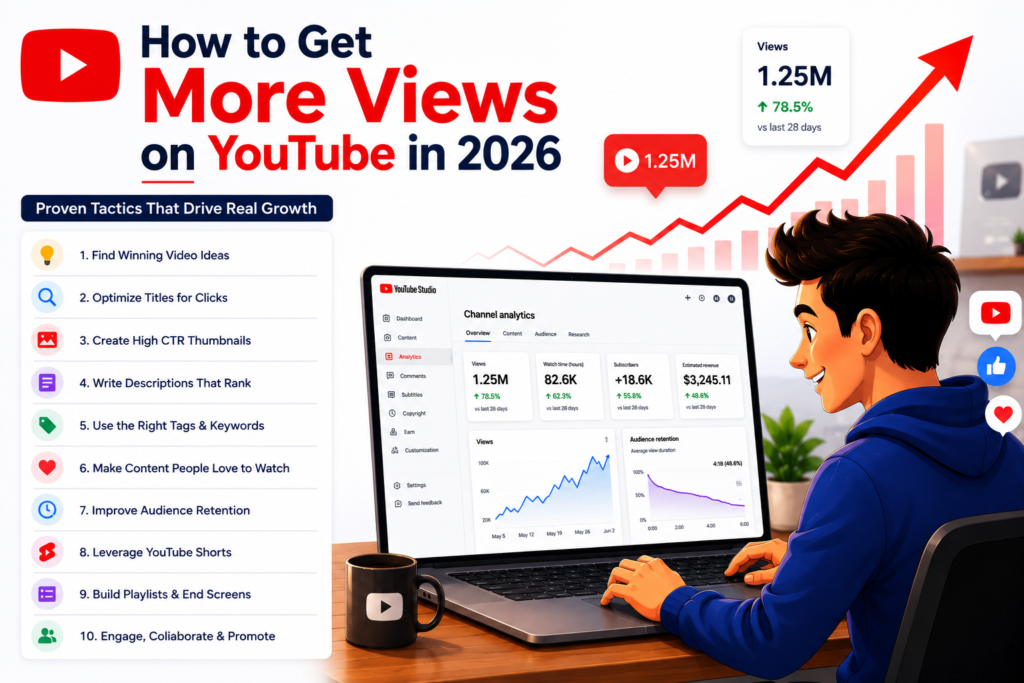
How to Get More Views on YouTube in 2026: 21 Proven Tactics That Actually Work
Posted on July 13, 2025 by Jason Caldwell
Let’s be real — growing on YouTube in 2026 isn’t as easy as just uploading and hoping for the best. The game has changed. There’s more content, more competition, and a way more advanced algorithm.
Every minute, over 500 hours of video are uploaded to YouTube. The platform now has more than 2.5 billion logged-in users per month, and the average viewer’s attention span is shorter than ever. That’s the battlefield you’re competing in.
But here’s the good news: there are real, proven tactics that work — without spending a fortune or gaming the system. I’ve broken down 21 methods that actually work in 2026, based on what successful creators are doing right now, what YouTube’s own guidance says, and what the data consistently shows.
No fluff. No filler. Let’s go.
Quick Reference: 21 Tactics at a Glance
| # | Tactic | Difficulty | Time to See Results |
| 1 | Write a killer title | Easy | Immediate |
| 2 | Design scroll-stopping thumbnails | Medium | Immediate |
| 3 | Use keywords strategically | Medium | 2–4 weeks |
| 4 | Hook viewers in the first 10 seconds | Easy | Immediate |
| 5 | Use YouTube Shorts for reach | Easy | 1–2 weeks |
| 6 | Create series and episodic content | Medium | 4–8 weeks |
| 7 | Add timestamps and chapters | Easy | 1–2 weeks |
| 8 | Engage with comments | Easy | Ongoing |
| 9 | Ask for engagement — naturally | Easy | Immediate |
| 10 | Embed videos on blogs and websites | Easy | 2–4 weeks |
| 11 | Promote on other social platforms | Medium | 1–2 weeks |
| 12 | Use Community Posts | Easy | Ongoing |
| 13 | Build playlists for binge-watching | Easy | 2–4 weeks |
| 14 | Focus on watch time, not just views | Medium | 4–8 weeks |
| 15 | Collaborate with other creators | Hard | 4–8 weeks |
| 16 | Upload on a consistent schedule | Easy | 4–12 weeks |
| 17 | Test, analyse, and improve | Medium | Ongoing |
| 18 | Tell a story — even in tutorials | Easy | Immediate |
| 19 | Mix searchable and shareable content | Medium | 4–8 weeks |
| 20 | Use end screens and cards | Easy | 1–2 weeks |
| 21 | Accelerate with targeted promotion | Easy | 1–2 weeks |
How the YouTube Algorithm Works in 2026
Before diving into tactics, you need to understand what you’re optimising for — because the algorithm is the engine behind every view.
YouTube’s recommendation engine has one primary goal: maximise viewer satisfaction and session time on the platform. Every signal it collects — click-through rate, watch time, audience retention, likes, comments, shares, and return visits — is a proxy for that goal.
This means YouTube isn’t looking for your video to get views. It’s looking for your video to satisfy viewers. A video with 5,000 views and 70% audience retention will consistently outperform a video with 50,000 views and 20% retention in terms of long-term algorithmic distribution.
In 2026, YouTube surfaces videos through four main discovery pathways:
- YouTube Search — viewers actively searching for a topic
- Browse Features — the home feed and subscription feed
- Suggested Videos — “Up next” recommendations next to and after videos
- YouTube Shorts Feed — the vertical swipe feed
The tactics below are organised to help you win across all four pathways.
1. Start with a Killer Title
Let’s not sugarcoat it — your title is everything. It’s the first thing people notice, and most of the time, it determines whether someone clicks or scrolls right past you.
Think of YouTube like a crowded bookstore. Your video is one of millions on the shelf. Your title is the cover. If it doesn’t pop, it doesn’t get picked up.
Use curiosity, emotion, or a hook:
Titles that hint at something surprising, emotional, or that leave a question unanswered perform better. We’re wired to want closure. If your title makes someone think “Wait, what happened next?” — you’ve already won half the battle.
- “How I Edit My Videos” → too plain
- “I Edited Like MrBeast for 24 Hours — This Broke Me” → emotional, intriguing, includes a popular name
- “What Happens If You Never Sleep? (Don’t Try This)” → taps into curiosity and fear
Add numbers or timeframes:
People love specifics. “5 Editing Tricks That Saved Me Hours” or “Learn to Sing in 30 Days” feels clear and achievable. Research by vidIQ found that titles with specific numbers consistently outperform vague alternatives in click-through rate.
Make it about the viewer:
People want to know: what’s in it for me? Flip the focus from “I did this” to “here’s what YOU can get.”
- “My Daily Routine” → weak
- “The 10-Minute Morning Routine That Boosted My Focus” → connects to a result viewers care about
Use power words:
Certain words trigger emotion and urgency: Shocking, Proven, Worst, Best, Secret, Behind the Scenes, Ultimate, Mistakes, Hacks. Example: “5 Shocking Mistakes New YouTubers Make (I Did All of Them)”
One rule: never clickbait:
There’s a fine line between curiosity and trickery. If your video doesn’t deliver what the title promises, viewers will bounce — and YouTube tracks that. Your CTR might go up, but retention tanks. YouTube penalises the combination of high CTR and poor retention by reducing distribution. Promise exactly what you deliver.
Pro tip on title length:
Studies show titles between 40–50 characters tend to rank best in YouTube search. Front-load the most important information — mobile viewers often see only the first 40 characters.
2. Design Thumbnails That Make People Stop Scrolling
Most people judge a video by its thumbnail. It’s human nature. We scroll fast, and something has to say “WATCH ME” in that tiny rectangle.
Your thumbnail is a billboard on a busy highway. You have one second — maybe less — to grab attention. A blurry freeze-frame or a dark, low-contrast image loses the click before it ever happens.
90% of top-performing YouTube videos use custom thumbnails — the data on this is consistent across every major creator analytics study. Auto-generated thumbnails simply don’t compete.
Show real, raw emotion:
People connect with faces — especially faces that feel something. Shock, excitement, disgust, confusion. Open your eyes wider, raise your eyebrows, exaggerate the reaction. It feels weird in the photo. It works on screen. MrBeast’s thumbnails always feature an extreme facial expression — that’s not accidental, it’s engineered for CTR.
Use bright colours and contrast:
YouTube’s interface is mostly white, black, and red. Thumbnails that use contrasting colours — yellow, electric blue, orange — naturally stand out. A useful shortcut: BOGY thumbnails (Blue, Orange, Green, Yellow) consistently outperform thumbnails that use YouTube’s native colour palette.
Keep text short:
2–4 words maximum. Viewers need to read it in one glance. Examples that work: “This Changed Everything”, “Don’t Try This”, “$1 vs $1,000”. Use big, bold fonts that are readable on a phone screen at 50% size.
Tell a visual story:
Your thumbnail should hint at what’s coming without giving everything away. Raise a question: “Wait, why is she doing that?” Curiosity without deception is the goal.
Free tools that work:
Canva (best for beginners, free YouTube thumbnail templates), Photopea (browser-based Photoshop alternative), Fotor, Snappa.
Real-world test:
Before publishing, take a screenshot of your YouTube homepage and drop your thumbnail in. Does it stand out next to the competition? If it blends in, go back and increase contrast or change the colour.
If your thumbnail is getting impressions but no clicks, read our guide on why your YouTube impressions are high but clicks are low — and exactly how to fix it.
3. Use Keywords Like a YouTube Detective
Here’s what nobody tells you when you’re starting out: it’s not just about making cool videos. It’s about making videos people are actually searching for.
YouTube is the world’s second-largest search engine, handling over 3 billion searches per month. Every video you publish is a piece of content that someone might be actively searching for — or not, depending on how well you’ve optimised it.
Start with keyword research:
Tools like TubeBuddy, VidIQ, and Ahrefs’ YouTube keyword tool help you find high-volume, lower-competition search terms in your niche. Long-tail keywords — phrases of three or more words — tend to convert better because they attract viewers who know exactly what they’re looking for.
Once you’ve found solid keywords, place them:
- In your title (front-loaded, naturally written — not stuffed)
- In the first 150 characters of your description
- In 2–3 relevant tags
- Spoken out loud in the first 30 seconds of your video — YouTube’s automatic captions are indexed, and this reinforces your topic relevance to the algorithm
Write descriptions properly:
Aim for at least 250 words. Front-load the primary keyword in the first two sentences. Add timestamps, chapter markers, and relevant links. Most creators treat descriptions as an afterthought — this is a missed SEO opportunity.
Add chapters:
Chapters help your video appear in Google search results for specific sub-questions within your topic — a secondary source of discovery that most creators don’t optimise for.
This isn’t about keyword stuffing. It’s about planting breadcrumbs for both the viewer and the algorithm to follow. Treat it like a conversation, not a checklist.
Getting search traffic is great — but many creators find their videos rank in YouTube search but never get recommended in the browse feed. Here’s why that happens and how to fix it.
4. Hook Viewers in the First 10 Seconds
Ever clicked on a video, watched for five seconds, and thought “Meh, next”? Your viewers do the same. That’s why the first 10 seconds of your video are make-or-break.
A weak hook is one of the most common reasons why your video isn’t getting views — even when your SEO and thumbnail are solid.
In 2026, YouTube’s algorithm pays close attention to the drop-off rate in the first 30 seconds. Channels where viewers consistently bail early get deprioritised in recommendations — even if the rest of the video is great. The opening is the most important segment of any video you publish.
The formula for a strong hook:
- Show or say something that creates immediate curiosity
- Tease the payoff (“By the end of this video, you’ll know exactly why…”)
- Skip the slow intro, the channel intro animation, and the “don’t forget to subscribe” — save all of that for later
Example: “I spent $100 trying five viral productivity hacks — and only one didn’t totally flop.”
That builds curiosity fast. It implies a story, it promises a payoff, and it gives a reason to keep watching.
MrBeast famously prioritises the first few seconds above everything else in his production process. The biggest channels on YouTube treat the hook as the most expensive real estate in the video. You should too.
5. Use YouTube Shorts to Explode Your Reach
YouTube Shorts now averages over 200 billion daily views. That’s not a typo. The Shorts feed is one of the most powerful discovery mechanisms on the platform right now, and YouTube’s algorithm is actively pushing Shorts to new audiences.
If you’re not using Shorts, you’re leaving one of the easiest reach-amplification tools on the platform untouched.
The best part: you don’t need fancy gear or slick edits. Shoot vertical, keep it under 60 seconds, and make the first 2 seconds impossible to scroll past.
How to use Shorts strategically:
- Tease your long-form content (“Want to see how this ends? Full video is up on the channel”)
- Drop quick tips or hacks from your niche
- Jump on trending audio or formats in your topic area
- Repurpose the strongest 30–60 seconds from existing long-form videos
The 70/30 rule:
Most successful creators in 2026 run a split of roughly 70% long-form content (which builds real watch time and subscriber loyalty) and 30% Shorts (which drive discovery and new-audience reach). Shorts subscribers alone rarely convert to deep long-form viewers — but Shorts as a funnel into long-form content is extremely effective.
Not sure how much to invest in Shorts vs regular videos? We break down the full YouTube Shorts vs long-form videos debate with data on which format grows channels faster in 2026.
If you’re also posting on other platforms, check out our comparison of YouTube Shorts vs TikTok vs Instagram Reels to decide where to focus your energy in 2026.
6. Create Series or Episodic Content
Ever fall into a YouTube rabbit hole where you watch one video, then suddenly it’s been an hour and you’re five episodes deep? That’s the binge effect — and it works directly in your favour.
When you create a series, viewers who enjoy episode one have a strong reason to watch episode two, three, and four. Each view generates another, which generates another. YouTube’s algorithm notices session-based behaviour — when a viewer watches multiple consecutive videos from your channel, that’s a powerful positive signal.
Series ideas that work:
- “30-Day Challenge” format — progress stories with built-in viewer investment
- Weekly recurring formats (“Weekly Reaction Friday”, “Monday Breakdown”)
- Step-by-step skill series (“Learn Guitar from Scratch: Part 1, 2, 3…”)
Organise series into playlists and enable autoplay so YouTube queues the next episode automatically. This turns a single view into a session — and sessions are what the algorithm rewards most.
7. Add Timestamps and Chapters
Adding timestamps is one of the most underrated tactics in YouTube growth — it takes five minutes and has outsized benefits.
For viewers:
Chapters let them navigate directly to the part they need without scrubbing through a long video. This reduces early drop-offs and improves the viewer experience — which the algorithm measures.
For SEO:
Google frequently displays chapter markers directly in search results as clickable timestamps. A single video with good chapters can rank for multiple distinct search queries — one for each chapter topic. This is free SERP real estate most creators miss.
For professional credibility:
A video with chapters signals to viewers that the creator knows their structure and respects the viewer’s time.
Format: Add timestamps to your video description starting from 0:00. Label each chapter clearly using keyword-rich descriptions, not vague labels like “Part 1” or “Section 2.”
Chapters also help the algorithm understand your content more clearly — read our guide on how the YouTube algorithm learns from viewer behaviour to see why this matters for long-term growth.
8. Engage with Comments — and Pin One
Here’s something a lot of creators overlook: actually talking to your viewers.
When someone comments — especially in the first hour after upload — respond to them. Even a brief reply, a heart reaction, or a follow-up question makes the viewer feel seen. And viewers who feel seen come back.
The comment activity in the first 24–48 hours after publishing is one of the engagement signals YouTube uses to decide whether to push a video to a wider audience. More comments, more replies, more interaction = stronger early signal = more distribution.
Pin a comment to extend the conversation. Options that work: pin a related question (“What’s your biggest YouTube struggle right now?”), pin a funny viewer comment to create community energy, or pin a clarification that adds value to the video.
People remember when creators respond. That kind of loyalty isn’t something you can buy — but it directly affects your algorithmic performance.
9. Ask for Engagement — But Make It Human
You know the robotic “like, comment, and subscribe” line. Viewers tune it out. It’s the YouTube equivalent of a recorded telemarketing message.
Instead, make it yours. Keep it casual, maybe even a little self-aware or goofy.
Example: “Hey, if you made it this far, you’re officially one of my favourite people. Drop a pizza emoji in the comments so I know you’re a real human — and hit subscribe if you’re into this kind of chaos.”
That works because it:
- Makes the viewer feel part of an inside joke
- Creates a specific, low-effort action (an emoji comment)
- Ties the subscription to a clear value proposition (“if you’re into this”)
The engagement you generate this way isn’t just community-building — it directly feeds the watch signals that drive algorithmic distribution. Authentic engagement CTAs outperform generic ones every time.
10. Embed Videos on Blogs and Websites
If you have a blog — or know people who do — embed your YouTube videos in relevant posts.
When a video is embedded on an external page and a visitor watches it, that generates a real YouTube view with full watch time data. Google also indexes the embedding page, which can drive search traffic that eventually reaches your video and channel.
Tactics that work:
- Embed your tutorial videos in how-to blog posts on the same topic
- Pitch your video as a visual supplement to posts on other blogs in your niche (this also builds backlinks to your channel)
- Drop relevant videos into Reddit threads where the content genuinely helps — when it lands, Reddit traffic can spike views dramatically
Think beyond YouTube. Every website, blog, or forum where your video can be legitimately embedded is an additional discovery channel.
11. Promote on Other Social Platforms — The Right Way
Dropping a YouTube link with “new video up!” on every platform doesn’t work. People scroll fast — you need to give them a reason to stop.
Tailor your promotion to each platform:
- Instagram: Post a 15–30 second clip in Reels or Stories with a clear hook and a “full video on YouTube” CTA. Don’t just show a thumbnail — show the most compelling moment from the actual video.
- Twitter/X: Write a thread that shares 3–5 insights from the video. The thread is the value. The video is the deeper dive. People who engage with the thread are already warmed up.
- TikTok: Cut the funniest or most surprising 15 seconds. TikTok audiences are accustomed to quick hooks — the clip needs to hook in 1–2 seconds or it’s gone.
- LinkedIn: Works for professional, educational, or business content. Write a genuine text post about the topic first, then mention the video at the end.
Don’t say “Watch this.” Say why they should. Lead with what they’ll get, not what you made.
12. Use Community Posts
If you’ve hit 500 subscribers, you’ve unlocked one of YouTube’s most underused features: Community Posts.
Community Posts are like a social media feed inside your YouTube channel. They’re surfaced in subscribers’ feeds between uploads and help keep your audience engaged even when you’re not publishing.
What works in Community Posts:
- Polls (“Which video topic should I do next?”) — viewer participation rates are unusually high
- Behind-the-scenes shots or setups — personalises your channel
- Sneak peeks of upcoming videos — builds anticipation
- Quick questions or takes that spark comments
This isn’t about going viral. It’s about staying top-of-mind with your existing subscribers so that when your next video drops, they’re primed to click.
Think of it as texting your audience without needing to publish a full video.
13. Build Playlists That Encourage Binge-Watching
YouTube rewards session time — the total time a viewer spends on the platform as a result of watching your content. A viewer who watches one video and closes YouTube contributes less algorithmic value than a viewer who watches five in a row.
Playlists are the mechanism that drives binge-watching. When a video in a playlist ends, YouTube automatically queues the next one. No effort required from the viewer. The session continues.
How to build playlists that actually get watched:
- Put your best video first — the one most likely to hook a new viewer
- Group videos around a single specific theme, not a broad category
- Keep playlists at 5–15 videos — long enough to create a session, short enough to feel completable
- Give playlists searchable, keyword-rich titles (“Complete Beginner’s Guitar Course” outperforms “Guitar Videos”)
Once I started using playlists strategically, average session length from my channel increased noticeably — and YouTube’s distribution of my content followed.
14. Focus on Watch Time and Audience Retention
Here’s something not enough creators understand clearly: watch time beats raw view count. Every time.
A video with 70% audience retention will consistently outrank and out-earn a video with 20% retention — even if the higher-retention video has fewer total views. YouTube’s algorithm interprets high retention as a satisfaction signal, and satisfaction signals drive recommendation distribution.
The practical targets:
- For videos under 5 minutes: aim for 70%+ retention
- For videos 5–10 minutes: aim for 50–60%+ retention
- For videos over 10 minutes: anything above 40% is solid; above 50% is excellent
How to improve retention:
- Cut dead air ruthlessly — silence and filler kill retention faster than anything else
- Use jump cuts every 3–5 seconds to maintain visual energy
- Preview upcoming content mid-video (“in a minute I’m going to show you the one trick that changed everything”) — curiosity gaps keep viewers watching
- Add text overlays to reinforce key points — multi-modal content holds attention better than voice alone
Make content people want to finish, not just click.
If you’re not sure exactly what audience retention measures, read our detailed breakdown of what audience retention is and why it matters before diving into how to improve it.
For Shorts specifically, the retention challenge is different — viewers make the scroll-or-stay decision in 1–2 seconds. See our guide on how to fix low audience retention on YouTube Shorts.
15. Collaborate with Other Creators
Want to grow faster? Don’t go it alone. Collaborations work — consistently and predictably — because you’re accessing an audience that already trusts content in your niche.
You don’t need to collaborate with huge channels.
A creator with 2,000–5,000 subscribers in a closely adjacent niche delivers better collaboration ROI than a creator with 100,000 subscribers in a completely different space. Audience relevance matters far more than audience size.
Collaboration formats that work:
- Joint videos published on both channels (each audience sees both creators)
- Cross-channel shoutouts (lower effort, still effective)
- Reaction or response videos that reference each other’s content
- Live collaboration streams
Pitch with a clear, specific idea. “I’d love to collab” gets ignored. “I have an idea for a video where we [specific concept] — it would work well for both our audiences because [specific reason]” gets responses.
16. Upload on a Consistent Schedule
You don’t need to publish daily videos to grow — but you do need to show up on a predictable schedule.
Consistency matters for two reasons. First, your audience learns when to expect you — subscribers who know you publish every Tuesday are more likely to check in on Tuesdays. Second, YouTube’s algorithm builds a model of your channel’s publishing pattern. Channels with consistent, predictable publishing get more reliable distribution than channels with sporadic burst-and-gap patterns.
What consistency actually means:
- Once a week is excellent
- Twice a month is fine
- Once a month is the minimum for maintaining algorithmic momentum
- Daily is only sustainable for a tiny minority — if it leads to quality drops, it hurts more than it helps
Pick a pace you can maintain for 12 months without burning out. A steady once-a-week channel always outperforms an inconsistent channel that occasionally publishes five videos in one week and then disappears for a month.
17. Test, Analyse, and Improve
Not every video is going to hit. Some will flop. That’s not failure — that’s data.
The creators who grow fastest treat every upload as an experiment and study the results systematically. YouTube Studio gives you everything you need.
The metrics to review after every video:
- Audience retention curve — where do viewers drop off? A sudden cliff at a specific timestamp tells you exactly what lost them. Fix it in the next video.
- Click-through rate — did the title and thumbnail generate clicks? A CTR below 2% means something in the packaging needs to change.
- Traffic sources — how did viewers find this video? Search traffic means your SEO is working. Browse traffic means the algorithm is recommending you. External traffic means your promotion is working. Each source tells a different story.
- Subscriber conversion rate — what percentage of viewers subscribed after watching? Low conversion on a high-view video suggests a misalignment between your content and your channel’s core promise.
Review your top 5 and bottom 5 performing videos regularly. The patterns that separate them are your growth strategy.
If you’ve been posting regularly and your analytics still look flat, check our breakdown of why your video isn’t getting views after uploading consistently — it covers the 13 most common mistakes creators miss in their data.
18. Tell a Story — Even in Tutorials
You can teach and entertain at the same time. In fact, the best educational content on YouTube always has a narrative thread running through it.
Instead of “Here’s how to bake bread,” try: “I totally messed up my first sourdough — burned the bottom, raw in the middle, and it tasted like a gym bag. But I didn’t give up. By day four, something clicked.”
That little narrative hook makes people care. They’re no longer watching a tutorial — they’re following a journey. Yours. And people who are emotionally invested in a journey watch longer, engage more, and subscribe at higher rates.
Before you hit record, ask yourself: what’s the story behind this? What went wrong, what changed, what was the moment of realisation? Bring viewers along for the ride instead of just explaining the destination.
19. Mix Searchable Content with Shareable Content
The channels that grow fastest in 2026 don’t focus on just one type of content. They mix two categories deliberately.
Searchable content is your long-term traffic engine. These are videos people are actively Googling and searching on YouTube:
- Tutorials (“How to mix vocals at home”)
- Product reviews and comparisons
- How-to guides and FAQ-style answers
- Evergreen topic explainers
These videos accumulate views steadily over months and years. They’re the foundation of a channel’s consistent baseline traffic.
Shareable content is what generates spikes, reach, and cultural conversation:
- Funny, relatable clips that make people think “this is exactly me”
- Emotional or inspiring stories that viewers want to send to a friend
- Hot takes and spicy opinions that generate discussion and debate
- Challenge or experiment formats with surprising outcomes
Search pulls people in through discovery. Shares spread content through networks. The best channels do both — and plan their content calendar to include a mix of each type rather than defaulting to one or the other.
Finding the right searchable topics to target starts with knowing what’s trending. Read our guide on how to spot trending topics and keywords on YouTube to build your content calendar around what people are actually searching for.
20. Use End Screens and Cards with Intention
You’ve earned a viewer’s attention for the duration of a video. Don’t let that attention walk out the door when the video ends.
The last 20 seconds of every video are high-value real estate. Use them to keep viewers on your channel.
What to add to every end screen:
- A “Watch Next” video that’s directly related to what they just watched — the more contextually relevant, the higher the click rate
- A subscribe button (viewers who reach the end are the most likely to subscribe)
- A playlist link if the video is part of a series
Cards (the clickable links that appear during videos): Add a card at the moment in your video most relevant to another piece of your content. If you mention a technique at 3:47, add a card linking to your dedicated video on that technique. Contextual cards get far higher click rates than cards added randomly.
End screens that are deliberately chosen and contextually relevant can add 10–20% more views to your back catalogue from viewers who were already watching.
21. Accelerate Your Timeline with Targeted Promotion
Being patient on YouTube is necessary — but patience alone isn’t a strategy. The algorithm needs engagement signal data before it broadly distributes your content, and without an existing audience, generating that signal organically can take a very long time.
Here’s what most guides don’t tell you: where your views come from matters as much as how many you get.
Viewers in high-CPM countries like the USA, UK, Canada, and Australia generate significantly more ad revenue per view — and attracting them through promotion trains YouTube’s algorithm to recommend your content to more viewers in those markets going forward. Geographic targeting isn’t just about revenue; it’s about teaching the algorithm who your audience is.
The distinction that matters: legitimate targeted promotion uses Google’s own advertising infrastructure (Google Ads) to place your videos in front of real YouTube users who match your target audience. These views generate genuine watch time, appear in YouTube Studio with full analytics, can result in real subscriber conversions, and feed the algorithm with real engagement data.
This is completely different from bot views or click-farm traffic, which YouTube detects and penalises — and which generate zero real watch time, zero algorithmic value, and carry the risk of channel suppression or termination.
If you’re a new or growing channel looking to reach real viewers in your target markets faster than organic growth allows, a legit YouTube promotion service for small and big channels like Vedzzy runs certified Google Ads campaigns that deliver real, trackable views from genuine audiences — all verifiable directly in your YouTube Studio dashboard. The result isn’t just a view count — it’s algorithmic signal that compounds into organic growth over time.
Not sure what a paid promotion campaign actually costs or delivers? Read our breakdown of affordable YouTube promotion packages to see what to expect before you spend anything.
Final Thoughts
Getting more views on YouTube in 2026 requires a combination of technical optimisation, compelling content, strategic distribution, and patience. No single tactic guarantees results overnight — but creators who implement these consistently, study their analytics, and keep improving will always outperform those who rely on content quality alone.
The platform rewards creators who understand it. Apply these 21 tactics, track what works, and double down on what your data tells you is moving the needle.
Pick one tactic from this list. Apply it this week. Track what happens. Then come back for the next one.
Frequently Asked Questions
Once your views start growing, the next step is making sure your entire channel is set up to convert those viewers into subscribers. Read our complete guide on how to optimise your YouTube channel for higher rankings and long-term growth.
How do I get more views on YouTube fast?
The fastest legitimate methods are: optimising your title and thumbnail for higher click-through rate, using YouTube Shorts to tap into the platform’s largest discovery feed (200 billion daily views), posting at peak times for your audience, embedding your videos on external websites and blogs, and using targeted Google Ads-based promotion to seed real views from matched audiences quickly.
Why is my YouTube video not getting views?
The most common reasons are: a thumbnail and title that don’t generate clicks (low CTR), poor audience retention in the first 30 seconds causing the algorithm to stop distributing the video, no keyword optimisation so the video doesn’t appear in search, and publishing to a channel with no established algorithmic signal history. Review your YouTube Studio analytics to identify which of these applies to your specific videos.
Does watch time affect views on YouTube?
Yes — significantly. Watch time and audience retention are among the strongest algorithmic signals on YouTube. A video with high retention gets recommended to more people, which generates more views. Chasing raw view count without improving retention is working against the algorithm, not with it.
How many views do you need to make money on YouTube?
You don’t need a specific view count — you need to meet YouTube Partner Program thresholds. The Early Access tier requires 500 subscribers and either 3,000 watch hours in 12 months or 3 million Shorts views in 90 days. Full ad revenue requires 1,000 subscribers and 4,000 watch hours or 10 million Shorts views.
What is a good number of views on YouTube?
It depends on your channel size. For a channel under 1,000 subscribers, 200–500 views per video is solid. For 1,000–10,000 subscribers, 500–2,000 views is healthy. For 10,000+ subscribers, aim for at least 10% of your subscriber count per video as a baseline benchmark. These are rough guides — niche, content type, and posting frequency all affect realistic benchmarks significantly.
What is the best time to post on YouTube for more views?
Research consistently shows Thursday–Saturday between 2pm–4pm in your target audience’s time zone drives the highest initial engagement. However, the best time for your specific channel is found in YouTube Studio under Analytics → Audience → “When your viewers are on YouTube.” Always optimise for your own data over general benchmarks.
Do YouTube tags still matter in 2026?
Tags have reduced in importance as YouTube’s algorithm has become better at understanding content through titles, descriptions, and spoken words. However, they still provide useful context — especially for handling keyword variants, misspellings, and technical terms. Use 5–8 highly relevant tags per video rather than filling all available space with loosely related terms.
How do I get views on YouTube without subscribers?
Focus on searchable content (topics people are actively searching for), YouTube Shorts (which surface to non-subscribers in the discovery feed), and embedding your videos on blogs and forums where your target audience already spends time. YouTube’s search algorithm doesn’t require subscriber history — a well-optimised new video can rank for the right search terms from day one.

Hi, I am Jason, a digital content strategist with 8 years of experience helping YouTube creators and brands grow their channels through data-driven content decisions. I have worked with creators across niches including tech, education, and lifestyle, and specialise in translating YouTube Analytics data into actionable growth strategies.
Categories: YouTube Growth Tips