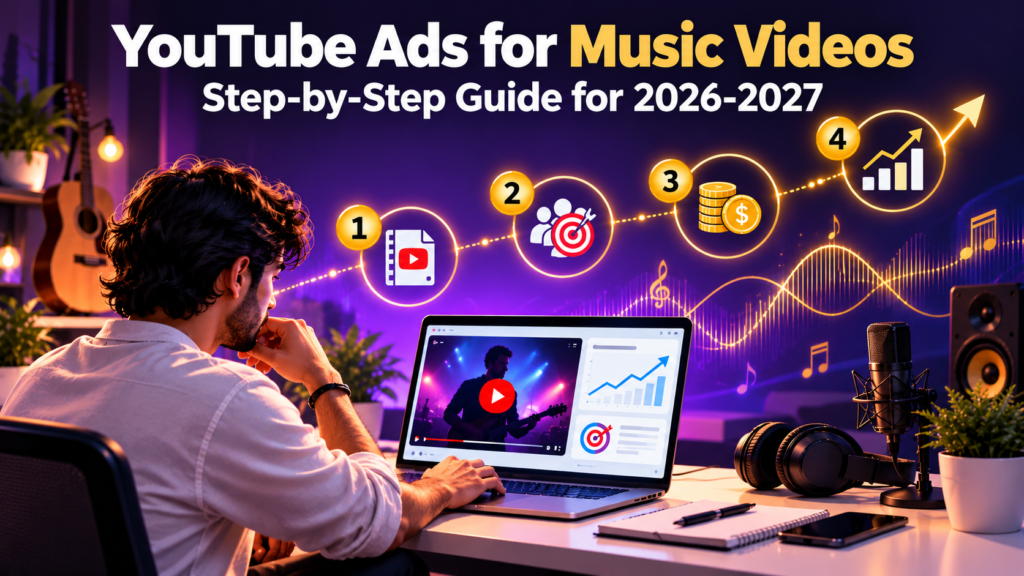
YouTube Ads for Music Videos from 2026 to 2027 and How to Run Your First Campaign Step by Step
Posted on October 24, 2026 by Jason Caldwell
Most artists spend weeks on a music video, post it, and wait. A few hundred people watch, mostly friends and people who already follow the music, and then the video goes quiet. The money went into the shoot. Nothing went into getting it seen.
YouTube ads for music videos can fix that, but only when the campaign is set up properly. I’ve seen artists burn through a small budget in a few days because they picked the wrong settings, targeted everyone, and never checked who actually watched. I’ve also seen small budgets do real work when the setup was clean.
This guide walks through the whole process in order. You’ll see what to prepare, how to build the campaign in Google Ads, how to aim it at music fans instead of random viewers, what to spend, and how to read the results in YouTube Studio. You’ll also see real numbers from two music campaigns, and an honest look at what ads can’t do for your video.
Why Music Videos Fit YouTube Ads So Well
People open YouTube to watch and listen. That sounds obvious, but it changes how an ad lands. Someone scrolling a social feed is half paying attention. Someone on YouTube is already in the mood to press play on a song. That’s a very different audience to put your video in front of.
iMusician points out in its guide to promoting music videos that over 90% of the 100 most-watched videos on YouTube are music videos. A good share of those are children’s songs, so don’t read too much into the number. It does show how much music watching happens on the platform.
The Ad Is the Video, Not a Link
Most paid music promotion sends people away. They see a post, tap a link, and land somewhere else, and plenty of them drop off along the way. With YouTube ads for music videos, the viewer watches your actual video right where they are. There’s no click-out to lose them.
That’s why a skippable ad can work well for a song. If the first five seconds hook someone, they keep watching the real thing.
Why Paid Views Can Help the Video Itself
YouTube decides how widely to show a video by watching how people respond to it. A brand new release from a small channel gives it almost nothing to judge. A campaign that puts the video in front of real listeners gives YouTube actual watch time and viewer behavior to work with.
If those viewers stay, the video has a better case for wider distribution. If they leave in ten seconds, it doesn’t, and no ad budget changes that.
YouTube Ads for Musicians: What They Can and Can’t Do
Get your expectations right before spending anything. This is where artists get let down.
What They Do Well
Ads put your video in front of people who like your kind of music and have never heard of you. That’s the hardest part of being an independent artist, and it’s something money can actually buy. You also get a clear read on how strangers react to your video, which friends and existing fans can’t give you.
What They Can’t Fix
Ads don’t make a weak video good. If most viewers drop off in the first ten seconds when they find the video on their own, they’ll do the same when it shows up as an ad.
Before building a campaign, I always open the audience retention graph for the video. If it falls off a cliff early, fix the opening first. Spending on a leaky video is paying to learn something you could have seen for free.
A Realistic Timeline
Paid views start arriving within a day or two of approval. The knock-on effects, like extra organic views and new subscribers, take longer and depend on how viewers respond. Plan for a campaign of at least a week. Judging it after 48 hours is the most common reason artists quit too early.
Before You Spend a Dollar, Get Your Channel and Video Ready
Twenty minutes of prep saves money later. Here’s what I check before any campaign goes live.
Link Your Channel to Google Ads
YouTube ads run through Google Ads, and your YouTube channel needs to be linked to your Google Ads account. Without the link, you can’t promote your own videos or see audience data tied to your channel.
Create the Google Ads account with the same Google login you use for YouTube, then link the channel from the Linked accounts area. Do this a day early. Google sometimes takes a little while to show the link.
Choose the Right Video
New release or older video? Both work, but they do different jobs. A new release benefits from a fast start, so launch week is the natural time. An older video that already holds viewers is a safer bet, because you already know people like it.
If you’ve got a few videos, check which one has the best average view duration in YouTube Studio and promote that one first.
Fix the Basics on the Video Page
Check the title, description, and thumbnail before the first ad runs. Put the song name and your name at the front of the title. Add your Spotify and Apple Music links high in the description. Add an end screen pointing to your next video, so someone who liked this one has somewhere to go.
Also check that the video isn’t age-restricted or carrying content that Google’s ad policies might block. Heavy explicit imagery can get an ad limited or disapproved. You want to find that out before you’ve planned a budget around it.
How to Run YouTube Ads for Music Videos Step by Step
Here’s the full setup in the order I’d do it. Google changes the Google Ads screens often, and some labels move or get renamed, so use these steps as a map rather than a click-by-click script. The logic stays the same.
Step 1: Sign In and Confirm the Link
Go to ads.google.com and sign in with the Google account tied to your YouTube channel. If Google pushes you through a quick setup wizard, look for the option to skip it and open the full account.
Confirm your channel shows under Linked accounts. Set your billing country and currency now, because currency can’t be changed later.
Step 2: Start a New Campaign and Choose Video
Click New campaign. Google may ask you to pick a goal. You can choose something like brand awareness and reach, or look for the option to create a campaign without a goal’s guidance, which gives you the most control.
Then choose Video as the campaign type. If you’re offered subtypes, skippable in-stream and in-feed video are the usual picks for music. Google has been merging some older campaign types into newer ones, so what you see may look a little different.
Step 3: Set Your Budget, Dates, and Bidding
Set a daily budget and a start and end date. I always set an end date, so a campaign can’t quietly keep spending after you stop paying attention.
For bidding, pick maximum CPV (cost per view) if it’s offered. Start with a bid in the lower part of the range Google suggests. Raise it only if the campaign isn’t delivering after two or three days.
Step 4: Choose Where the Ads Show
Keep the ads on YouTube. If you see an option for video partners on the Display Network, I switch it off for music promotion. Views from partner sites may not count toward your public view count, and they don’t give YouTube the same signals about your channel.
Leave YouTube videos on. If you’re running in-feed ads, add YouTube search results too, so you can catch people who are actively looking for music like yours.
Step 5: Pick Your Locations and Languages
Choose the countries where you want listeners. Be specific. Picking everywhere sounds generous, but it spreads a small budget across places where you have no fans, no shows, and no streams.
Pick the language your lyrics are in, or the language your fans use. The next section covers how location changes cost.
Step 6: Build Your Audience
This is where music campaigns are won or lost, so it gets its own section below. For now, know that you’ll be adding audiences, keywords, or placements that match the kind of listener you want.
Step 7: Create the Ad
Paste your video link into the ad setup. Choose the skippable in-stream format. Add a short headline and a clear call to action, like Listen now or Watch the video. If there’s a companion banner option, add your album art.
Set a frequency cap so the same person doesn’t see the ad over and over. One impression per person per day is a common starting point.
Step 8: Submit for Review and Wait
Every ad is reviewed before it runs. That usually takes a day or less, but allow longer around busy periods. If an ad is disapproved, the reason shows in the policy details. Fix it and resubmit.
Once it’s live, leave it alone for three or four days before changing anything. Every edit resets some of what Google has learned.
Targeting Music Fans Without Wasting Your Budget
Targeting for music works differently from social platforms. You can’t just pick ‘people who like hip-hop’ and expect your best fans to show up. You need a few layers.
Start With Genre and Sound-Alike Artists
The most useful music audiences are built around what people already listen to. Look for custom segments, where you can add the names of artists who sound like you, or the search terms a fan of your genre would use.
You can also add placements. These are specific YouTube channels or videos where you want your ad to appear, like the official channels of similar artists. Affinity audiences, such as music lovers or fans of one genre, are broader, but they work as a starting point.
The exact options vary by account and country, so look at what’s available to you.
Pick Countries Before Anything Else
Location changes your cost more than almost any other setting. The US, UK, Canada, and Australia are usually more expensive per view than many other markets, because more advertisers compete for those viewers.
That doesn’t make them the wrong choice. If your streams, shows, or merch buyers are there, it’s worth paying more. If you just want a cheap first test, another market can show whether the video holds attention. Remember that those viewers may not behave like your core listeners.
Keep Your First Audience Narrow
Narrow and relevant beats wide and vague. A tight audience can cost a little more per view, but the people watching are more likely to be real fans, and the data you get back is cleaner. Once you know what works, you can open it up.
How Much to Spend on YouTube Ads for Music Videos
There’s no fixed price per view. YouTube runs an auction, so what you pay depends on who else is bidding for the same listeners at the same time.
As a rough guide, skippable ads tend to cost somewhere between a few cents and about thirty cents per view. Music and entertainment audiences usually sit toward the cheaper end, because fewer advertisers compete for them. Treat that as a ballpark, not a quote.
A Sensible Starting Budget
For a first test, I’d plan on $10 to $20 a day for 7 to 14 days. That’s roughly $70 to $280 in total, and it’s enough for Google’s system to gather data. For a proper release push, $20 to $50 a day for two to four weeks is a more realistic range.
Anything under about $10 a day often delivers so few impressions that you learn very little. These are planning ranges, not promises.
| Goal | Daily Budget | Duration | Total |
| First test of one video | $10 – $20 | 7 – 14 days | $70 – $280 |
| Release week push | $20 – $50 | 14 – 28 days | $280 – $1,400 |
Spend Less, Learn First
If that range is more than you want to risk, run a smaller test and judge it on view rate and watch time, not view count. Smaller budgets work too. The Affordable YouTube Promotion Packages show what lower spends look like in practice. Whatever you choose, set the end date first.
Writing the First Five Seconds That Stop the Skip
On a skippable ad, you get five seconds before the viewer can leave. That’s the whole game.
Open on Your Strongest Moment
Most music videos open slowly. A fade in, a title card, a long intro. That’s fine on a streaming page and fatal in an ad.
Open on the hook of the song, or your most striking visual, in the first second. Put the song title and your name on screen early. If your video starts slowly, upload a tighter version as an unlisted video and run the ad on that. You can test openings without touching your main release.
Test Two Versions
Create two ads with different openings and run them side by side on the same budget. After a few days, compare their view rates. The winner is your answer.
Don’t test more than two at once on a small budget. The data spreads too thin.
Keep the Call to Action Short
Two or three words is plenty. Listen now or Watch the video works fine. A long headline gets cut off or ignored.
How to Read Your Results in YouTube Studio
View count is the least useful number from your campaign. A cheap view from someone who left after five seconds does nothing for you. Watch what happened after the view.
Confirm the Views Are Real
Open YouTube Studio, go to Analytics, click the Reach tab, and look at Traffic sources. Views from a genuine Google Ads campaign show up as YouTube advertising, with watch time and audience data attached. It’s the simplest check any artist can run, and it’s worth doing for every campaign, whether you built it yourself or paid someone else. The YouTube Analytics Explained guide walks through this part of YouTube Studio in more detail.
The Numbers That Matter
| Metric | Where to Find It | What to Look For |
| View rate | Google Ads | The share of impressions that turned into a view. A common rule of thumb is that 15% to 20% is decent and 30% or more is strong, though it varies by genre. Below 10% usually means the opening needs work. |
| Average view duration | YouTube Studio, Analytics | Compare it to your organic viewers. Paid viewers who match your sound should watch about as long. |
| Subscribers gained | YouTube Studio, Audience | Check the days the campaign ran against your normal baseline. |
| Returning viewers | YouTube Studio, Audience | A rise after the campaign means some people came back on their own. |
Compare Paid Viewers to Organic Ones
In YouTube Studio you can compare traffic sources against each other. If the viewers from your campaign watch far less than your organic viewers, the targeting is probably too wide. If they watch about the same, you’ve reached the right people.
What Two Music Campaigns Actually Looked Like
I’d rather show you real numbers than describe a perfect scenario. These two campaigns were run through Vedzzy for music artists.
| Artist | Views Before | Views After | Time |
| Hip-hop artist | 1,200 | 52,000 | 10 days |
| R&B artist | 950 | 41,000 | 9 days |
Those are strong results, and I’d be doing you a disservice if I let them sound like a promise. Two campaigns don’t make a rule. Genre, video quality, budget, and how the audience was set up all move the outcome.
What I can say is that both ran through Google Ads. That means the views show up in YouTube Studio as YouTube advertising, and you can check them the same way I described above.
What I Take From Them
Both campaigns were short, about a week to ten days. A short window makes it easy to see what happened and to decide whether to run another one. It also keeps you from sitting on a slow campaign for a month hoping it improves.
Mistakes That Waste Music Video Budgets
Targeting Everyone
Broad targeting looks cheap on paper, and it fills your view count. But the people watching have no particular interest in your sound, so they leave fast and never come back. A smaller, well-matched audience nearly always gives you better value.
Judging the Campaign Too Early
Google’s system needs a few days to learn who responds. Cancel after 48 hours and you’ve paid for the learning without getting the benefit. Give it at least a week before deciding.
Promoting a Video You Haven’t Tested
If you’ve never looked at the retention graph, you’re guessing. Check it first. A video that holds viewers organically will usually hold them as an ad. One that doesn’t will lose them either way.
Ignoring the Channel Page
A viewer who likes the video may tap through to your channel. If it’s empty, with no banner, no other videos, and no links, you lose them right there. Spend an hour on your channel page before you spend on ads.
When It Makes Sense to Let Someone Else Run the Campaign
Running your own campaign gives you control and usually the lowest cost. It also takes time. Setup, testing, and watching the numbers for a week or two add up, and your first campaign is often the least efficient one, because you’re still learning how the auction responds.
Doing It Yourself vs Handing It Off
If you enjoy the process and have a few hundred dollars to learn with, build your first campaign using the steps above. If you’d rather spend that time making music, a managed service can handle setup and optimization. One approach is manual targeting, where a person picks and adjusts the audience by hand instead of leaving it on autopilot. That’s covered in How Manual Targeting YouTube Promotion on Vedzzy Works.
Questions to Ask Any Promotion Service
Ask whether the views will appear as YouTube advertising in your own Traffic sources. Ask how the audience is targeted. Ask what happens if the video doesn’t hold attention. A service that answers plainly is worth talking to. One that dodges the first question isn’t. If you’re unsure where the line sits, Are YouTube Promotion Services Safe breaks down what to look for.
Frequently Asked Questions
How much do YouTube ads for music videos cost?
Skippable ads typically cost a few cents to roughly thirty cents per view, set by an auction. Music audiences tend to be on the cheaper side. Country matters a lot, with the US and UK costing more than many other markets. A first test of $10 to $20 a day for one to two weeks is a reasonable starting point.
Do YouTube ads for musicians actually work?
They work when the video already holds attention and the targeting matches the genre. They don’t rescue a weak video. Judge a campaign by view rate, watch time, and subscribers, not just view count. The two campaigns above show what a good result can look like, but they aren’t a guarantee.
What is the best ad format for a music video?
Skippable in-stream is the usual starting point. You pay when someone watches 30 seconds, or the whole video if it’s shorter, or interacts with it. In-feed ads show up in YouTube search results and suggested spots, and the viewer chooses to click. Start with skippable in-stream, and test in-feed once you know the video holds attention.
How long should a music video ad campaign run?
At least seven days, and ideally two weeks for a release. Google’s system needs a few days of data before it optimizes. Judging a campaign after 48 hours means you cancel it before it has learned anything.
Do I need my own Google Ads account?
To run it yourself, yes, and your YouTube channel needs to be linked to it. Some managed services run campaigns on your behalf, in which case you may not need your own account. Ask how a service handles this before you pay.
Do views from YouTube ads count toward Partner Program watch hours?
YouTube only counts valid public watch time toward monetization, and it excludes artificial traffic. How paid views are treated can change, so check YouTube’s current Partner Program eligibility page before you count on them. Real viewers from a genuine ad campaign do generate real watch time you can see in YouTube Studio. Treat that as a bonus, not a plan.
Should I promote a new release or an older video?
Either can work. A new release benefits from a strong launch week. An older video that already holds viewers is a safer bet because you know people like it. Check average view duration for each in YouTube Studio and start with the one that performs best.
How do I know the views from my campaign are real?
Open YouTube Studio, go to Analytics, click Reach, and check Traffic sources for YouTube advertising. Real campaign views show up there with watch time and audience data. Also check that the countries in your audience data match where you aimed the campaign.
Will YouTube ads get me more Spotify streams?
Indirectly, maybe. The ads aim to get people watching on YouTube, not streaming on Spotify. Some viewers will go and search for you, especially if your links sit high in the description. Compare your Spotify for Artists numbers during the campaign against your normal baseline to see whether it moved anything.

Hi, I am Jason, a digital content strategist with 8 years of experience helping YouTube creators and brands grow their channels through data-driven content decisions. I have worked with creators across niches including tech, education, and lifestyle, and specialise in translating YouTube Analytics data into actionable growth strategies.
Categories: YouTube Growth Tips