How to Use YouTube’s Hype Feature to Grow a Small Channel in 2026 – The Complete Guide
Posted on October 12, 2026 by Jason Caldwell
Growing a small YouTube channel can be frustrating. You spend hours planning, recording, and editing a video, but when you publish it, very few people watch. Meanwhile, channels with much larger audiences seem to get thousands of views almost as soon as they upload. A video from a 2 million-subscriber channel gets distributed to a huge test audience on day one. A video from a 2,000-subscriber channel gets distributed to almost nobody, which means weak early signals, which means limited distribution, which means the channel stays small.
Part of the problem is that a small channel has fewer viewers who can watch and respond to a new video right away. Without that early activity, getting your content in front of more people can be difficult.
YouTube’s Hype feature offers another way for smaller creators to get noticed. It allows viewers to support eligible videos and help them appear on a country-specific leaderboard. This gives people who don’t already know your channel a chance to discover your content.
But simply having Hype available isn’t enough. You need to understand how it works and encourage your audience to use it.
In this guide, we’ll look at how YouTube Hype works, who can use it, how the small-channel multiplier affects your points, and what you can do to get more Hypes. We’ll also cover the role of YouTube advertising and how you can use promotion alongside Hype to build an audience over time.
What Is YouTube Hype — And Why It Is Different From Everything Before It
YouTube Hype is a feature that lets viewers give eligible videos from smaller channels an extra push. It is designed for channels with fewer than 500,000 subscribers.
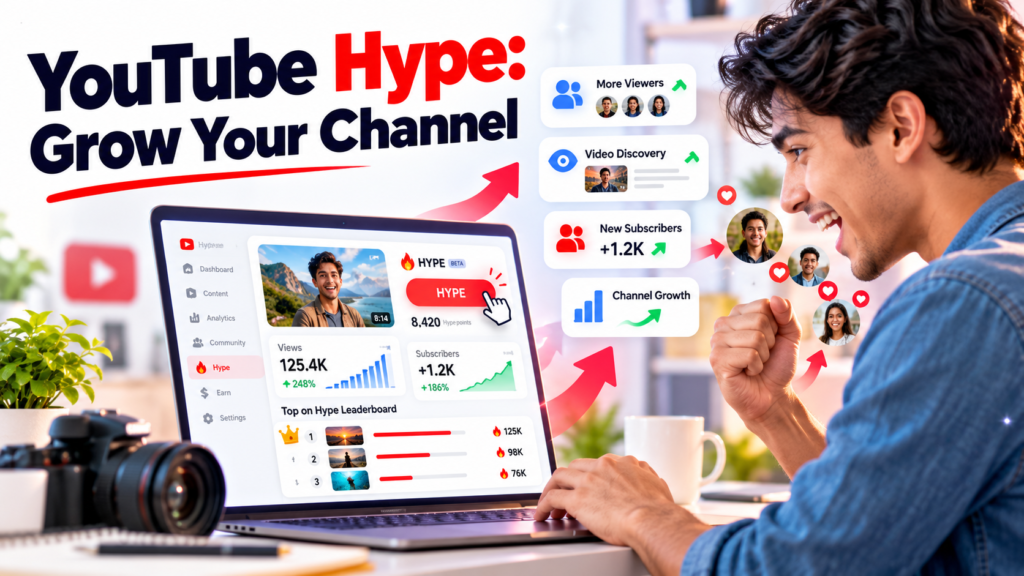
Each viewer gets three free Hypes per week. When someone clicks the Hype button below the Like button on an eligible video, that video earns points. Those points help determine its position on a weekly leaderboard for the viewer’s country.
Videos that collect enough points can appear on the Hype leaderboard in YouTube’s Explore section. This creates another way for people to find a video, even if they don’t already subscribe to its channel.
YouTube began rolling out Hype globally in August 2025 across 39 countries, including the United States, the United Kingdom, India, Japan, South Korea, Indonesia, Germany, Canada, and Australia. During earlier testing in Turkey, Taiwan, and Brazil, viewers used Hype more than five million times across over 50,000 channels in the first four weeks.
For smaller creators, the appeal is straightforward. Your video doesn’t have to rely entirely on the usual recommendation system to find new viewers. People who enjoy your content can actively help others discover it.
Why YouTube Built It
YouTube has several ways for viewers to respond to content. They can like a video, leave a comment, share it, or support a creator financially through features such as Super Thanks. These actions can help creators build a community, but they don’t all provide the same kind of discovery opportunity.
Hype gives viewers a more direct way to support videos from smaller channels. Instead of simply enjoying a video and moving on, they can use one of their weekly Hypes to help it earn points on a leaderboard.
This matters because a small creator may have a loyal audience but still struggle to reach people outside that group. A video can be useful, entertaining, or well made without immediately attracting a large number of views.
Hype offers another route for that video to get noticed. It doesn’t mean the normal recommendation system no longer matters, and it doesn’t guarantee a place on the leaderboard. However, it gives engaged viewers a specific way to help a smaller creator gain visibility.
For creators, the lesson is simple: don’t assume viewers will automatically use every feature available to them. If Hype is enabled on your channel, explain what it does and show your audience how they can use it.
The Hyped Badge
When a video earns a place on the Hype leaderboard, it can display a Hyped badge. This helps viewers recognise content that has received active support from its audience.
The badge may appear in places such as search results, feeds, and the channel page. YouTube also provides ways for viewers to discover hyped videos through its interface.
Think about what happens when someone comes across a creator they have never watched before. They have little information to help them decide whether the video is worth their time. A visible sign that other viewers have supported it can give them another reason to take a look.
Of course, a badge won’t make an uninteresting video appealing to everyone. Your title, thumbnail, and content still need to give people a reason to click and keep watching.
The real opportunity comes when Hype introduces your video to a new viewer and the content gives that person a reason to explore the rest of your channel.
How YouTube Hype Works — The Complete Mechanic
Before you build a plan around Hype, it helps to understand the basic rules. The feature has a limited time window, a points system, and a leaderboard. Each part affects how you should approach a new upload.
The 7-Day Window
One of the most important things to remember is that Hype is available only during the first seven days after an eligible video is uploaded.
Once the video passes that window, it can no longer receive new Hypes. That means you need to give your audience a chance to discover the feature while the video is still eligible.
For example, suppose you publish a new video on Monday. You can remind your audience about Hype through a Community post, mention it in the video, and share the link on your other social media accounts during the following days.
Waiting until the end of the week to tell people about Hype may mean missing opportunities to collect points earlier.
Make Hype part of your upload routine. Prepare a short announcement before the video goes live, remind viewers after publishing, and keep the conversation going while the seven-day window is open.
How Points Accumulate
Every Hype adds points to an eligible video. Those points help determine its position on the leaderboard during the seven-day period.
The rankings can change as videos receive more Hypes. A video that moves up the list today may move down later as other creators receive support from their audiences.
The top 100 hyped videos in each country can appear on the leaderboard in the Explore section. Reaching the very top isn’t the only possible benefit. A place on the leaderboard can also give a video exposure to viewers who have never visited your channel before.
Keep in mind that receiving Hypes doesn’t guarantee a particular ranking. The results depend on how your video performs within the leaderboard system and how other videos are receiving support.
Your goal should be to make it easy for interested viewers to use Hype, rather than focusing only on a particular position.
The Viewer Experience
From a viewer’s point of view, using Hype is fairly simple.
They watch an eligible video they enjoy and look for the Hype button below the Like button. They can then use one of their three free weekly Hypes to support that video.
Some viewers may not know what the button does or realise they have free Hypes available. That’s why explaining the feature can make a difference.
YouTube has also introduced notifications related to videos that viewers have hyped, including updates when a video is getting close to the leaderboard. These reminders help supporters keep track of the videos they’ve backed.
Viewers who regularly use Hype can also earn a monthly Hype star badge. This gives active supporters a small form of recognition and may encourage them to keep using the feature.
For creators, the practical takeaway is to make your request clear. Tell viewers where to find the button, explain why you’re asking, and let them decide whether they want to support your video.
The Small Creator Multiplier — Why Smaller Channels Win Harder
The small creator multiplier is one of the most useful parts of the Hype system to understand.
YouTube applies a multiplier based on a channel’s subscriber count. Channels with fewer subscribers receive more leaderboard points for each Hype than larger eligible channels.
The idea is to give smaller creators a fairer chance to compete. Without this system, established channels could have an advantage simply because they already have larger audiences.
The multiplier is especially relevant if your channel is still growing. You may not have thousands of active viewers, but a relatively small group of people who genuinely enjoy your content can still make a difference.
The subscriber ranges and multiplier tiers are outlined below.
| Subscriber range | Multiplier tier | What it means for creators |
| 500–10,000 subscribers | Highest multiplier | Each Hype earns the most points, giving smaller channels a stronger opportunity to reach the leaderboard. |
| 10,000–50,000 subscribers | High multiplier | Channels still receive a strong advantage when competing with larger creators. |
| 50,000–200,000 subscribers | Medium multiplier | More Hypes may be needed to achieve a similar ranking. |
| 200,000–500,000 subscribers | Standard or base value | Channels have less multiplier advantage and rely more on the number of Hypes they receive. |
The practical difference can be significant. A channel with 5,000 subscribers may receive more points from each Hype than a channel with 400,000 subscribers.
That doesn’t mean a small channel will automatically rank higher. The number of Hypes, competition, and other factors still matter. However, the multiplier gives smaller channels a useful advantage.
For creators with limited time and resources, this makes audience participation worth paying attention to. You don’t need to start with a huge following. You need to build a group of viewers who care enough about your content to take part.
What This Means for Channels Just Starting Out
If your channel has between 500 and 1,000 subscribers and meets the other eligibility requirements, you’re in the highest multiplier tier described above.
Imagine that you have a small channel with a few hundred regular viewers. They watch your videos, leave comments, and look forward to your next upload. If some of those viewers use their Hypes during the first week, they can help your video earn leaderboard points.
A larger channel may have far more subscribers, but its Hypes receive a lower multiplier. This is one reason a smaller creator should not assume the feature is only useful for established channels.
Start by looking at the audience you already have. Who regularly watches your videos? Which uploads attract the most meaningful comments? What kind of content brings people back?
Use those observations to build a better relationship with your viewers. When people feel connected to your channel, they’re more likely to take an interest in features that help it grow.
If you’re eligible for Hype but haven’t used it yet, add it to your plan for the next upload. You may find that a simple reminder is enough to get more viewers involved.
How to Check Your YouTube Hype Eligibility
Before spending time planning a Hype campaign, make sure your channel and video qualify. Not every creator will see the Hype button, even if they have heard about the feature.
Use the following checklist as a starting point.
| Requirement | Details | Where to check |
| YouTube Partner Program | Your channel needs to meet the applicable YPP requirements. | YouTube Studio → Earn |
| Subscriber count | The feature is intended for channels with approximately 500 to 500,000 subscribers. | YouTube Studio → Channel Analytics |
| Video age | The video must have been uploaded within the previous seven days. | Check the video’s publication date. |
| Content compliance | The video must comply with YouTube’s Community Guidelines and applicable requirements. | YouTube Studio → Content |
| Country availability | Hype must be available in your country. | YouTube Help Center → Hype availability |
| Hype settings | Check whether Hype is available and enabled for your channel. | YouTube Studio → Settings → Channel |
If your channel appears to meet the requirements but you can’t find the Hype button, check your settings and review YouTube’s current eligibility guidance. Availability and requirements can change, so don’t rely entirely on an older article when checking your channel.
It’s also worth looking at your analytics after publishing an eligible video. YouTube provides Hype-related information in Studio for creators whose channels have access to the feature. Reviewing those figures can help you understand how viewers are using Hype on your uploads.
If you’re still learning your way around Studio, read the YouTube Analytics Explained guide on Vedzzy. It can help you become more comfortable with the analytics section and the information available for your videos.
Confirming eligibility first will save you time and help you focus on the actions that can actually make a difference.
How to Get More Hypes on YouTube — The Strategic Playbook
Having the Hype feature available is only the first step. Your viewers need to know about it, understand how it works, and have a reason to use it.
Many creators ask their audience to like and comment on videos but never mention Hype. If viewers don’t know what the feature does, they may simply ignore the button.
Here are some practical ways to make Hype part of your regular publishing routine.
Step 1: Educate Your Audience Before You Need Them
Don’t wait until you publish an important video to explain Hype for the first time.
Your audience may not know that they have three free Hypes each week or that using one can help an eligible video from a small channel gain visibility. A short explanation before your next upload gives them time to understand the feature.
You could publish a Community post explaining what Hype does, where viewers can find the button, and why you’re planning to use it on your next video.
Keep the message simple. You don’t need a long tutorial. Tell viewers that Hype is free to use within their weekly allowance and that it gives them another way to support eligible creators.
It’s also worth repeating the explanation occasionally. New subscribers arrive all the time, and not everyone sees every Community post. A quick reminder every few weeks can help more of your audience become familiar with the feature.
The goal is to make Hype easy to understand before you ask people to use it.
Step 2: Ask for the Hype Inside the Video — Specifically
A general request to like, comment, and subscribe doesn’t tell viewers what to do with Hype.
Instead, mention the feature by name and briefly explain how it helps. For example:
“If you enjoyed this video, take a look at the Hype button just below the Like button. If you have a free Hype available, using it can help more people discover our channel.”
You don’t need to repeat the same line in every video. Adjust it to fit your usual speaking style and the type of content you create.
Timing also matters. Give viewers something useful or entertaining before asking them to support the video. Once they’ve watched and enjoyed the content, the request feels more natural.
Avoid making the request sound like an obligation. Your viewers should understand the opportunity and choose whether to take part.
Step 3: Time Your Upload for Maximum Hype Velocity
When you publish a video, the first few hours can be an important time to reach your regular viewers. If many of them are online, they have a better chance of seeing the upload, watching it, and responding to your request.
Start by checking when your audience is active. In YouTube Studio, open Analytics, select Audience, and look for the When your viewers are on YouTube report, if it is available for your channel.
Use that information to choose a suitable publishing time. Uploading one or two hours before a busy period may give your video time to appear in viewers’ feeds before more of your audience comes online.
There is no universal upload time that works for every channel. Your audience may be most active in the evening, during lunch breaks, or at weekends. Let your own analytics guide the decision.
You should also avoid treating early Hype activity as a guaranteed ranking formula. The leaderboard can change as other videos receive support, and YouTube doesn’t publish every detail of its ranking system.
The practical approach is to publish when your regular viewers are likely to be available and make it easy for them to find your new video.
Step 4: Send a Reminder in the First 24 Hours
After your video goes live, publish a short Community post with a direct link to it.
Let your audience know that the new video is available and that the Hype window is open. If you’ve already explained the feature, this reminder can be brief.
For example:
“Our new video is live! If you enjoy it and have a free Hype available, you can use it to help more people discover our channel. Thanks for watching and supporting us.”
This gives subscribers another way to find the upload. Some may have missed the notification, been busy when the video went live, or simply not seen it in their feed.
You can also share the video through your usual channels, provided the message is relevant to the people following you there.
The reminder takes very little time to prepare. Make it a regular part of your publishing checklist instead of relying on viewers to remember the feature on their own.
Step 5: Cross-Promote the Hype Window on Other Platforms
Your YouTube subscribers aren’t necessarily the only people interested in your content. You may also have followers on Instagram, TikTok, Facebook, or X who don’t visit YouTube every day.
When you publish a new video, let those followers know it’s available. Include a link and, where appropriate, explain that eligible viewers can support it with Hype.
You don’t need to turn every social media post into a request. Share a useful clip, a behind-the-scenes moment, or a short preview that gives people a reason to watch the full video.
For example, a musician could share a short preview of a new music video. A tutorial creator could post a quick tip from a longer lesson. A gaming channel could share a memorable moment from a recent upload.
Then invite interested viewers to watch the full video on YouTube.
This approach helps you reach people who may not have seen the original upload. Some of them may watch the video, subscribe, or use Hype if the feature is available to them.
The important thing is to make the content worth sharing. A clear link and a natural invitation are usually more effective than repeatedly posting the same promotional message.
YouTube Jewels and Paid Hype — What the September 2026 Update Means
YouTube announced an expansion of Hype on September 25, 2026, involving Jewels, its virtual currency. Under this expansion, eligible viewers can use Jewels to purchase additional Hypes after using their three free weekly Hypes.
This changes the way some fans can support creators. Previously, viewers were limited to their free weekly allowance. With paid Hype, supporters who want to give additional help may have another option.
Availability and implementation can vary as YouTube rolls out new features, so creators should check the latest information in YouTube Studio and YouTube’s official announcements.
What Jewels Are
Jewels are YouTube’s virtual currency. They have been used for features such as animated gifts during live streams, and YouTube has expanded their use to paid Hype.
Viewers can purchase Jewels in bundles and use them for supported features. In the case of Hype, this gives fans a way to continue supporting eligible videos after they have used their free weekly Hypes.
Paid Hype may also provide creators with a share of the revenue, depending on their eligibility and the applicable YouTube rules. The exact costs, revenue arrangements, and availability should be checked against YouTube’s latest documentation, as these details can change during a rollout.
For creators, the first step is to understand whether the feature is available to their audience and whether their channel meets the relevant requirements.
What This Means for Creators Strategically
Paid Hype gives dedicated fans another way to support a creator they enjoy. Someone who has already used their free Hypes may still want to help a particular video reach more viewers.
However, this doesn’t mean creators should pressure their audience to spend money. Your main priority should remain making content people want to watch and building a community that enjoys being part of your channel.
A smaller channel with a group of regular viewers may benefit from strong audience relationships. Those viewers can watch new uploads, share videos, leave comments, and use Hype when they choose to.
Start by checking the features available in YouTube Studio. If your channel is eligible to earn revenue from supported virtual items, review the current requirements and settings before assuming that paid Hype will generate earnings.
The bigger lesson remains the same: a loyal audience is valuable. Features such as free and paid Hype give interested viewers more ways to support creators, but the relationship still starts with content that people genuinely enjoy.
What Happens After the Leaderboard — Turning Hype Visibility Into Subscribers
Getting your video onto the Hype leaderboard is a useful milestone, but it’s not the end of the process.
The next question is what happens when new viewers arrive. Some may watch the video and leave. Others may visit your channel, explore more content, or decide to subscribe.
You can’t control every viewer’s decision, but you can make the channel easier to understand and give new visitors a reason to stay.
The Hyped Badge Drives Click-Through
The Hyped badge gives viewers an additional signal that a video has received active support. When someone sees the badge on a video from an unfamiliar creator, they may become curious enough to click.
That extra visibility can be helpful, but the badge isn’t a replacement for a good title and thumbnail. People still need to understand what the video offers and why it’s worth watching.
For this reason, prepare your video packaging before publishing. Use a title that describes the content clearly, create a thumbnail that stands out without misleading viewers, and make sure the opening delivers on the promise.
If your video reaches the leaderboard, pay attention to how viewers respond. Are they watching for a meaningful amount of time? Are they leaving comments? Are they visiting other videos on your channel?
These details can help you understand whether the additional exposure is bringing in people who are interested in your content.
Prepare the Visitor Who Arrives From the Leaderboard
A viewer who finds your video through Hype may know nothing about your channel. They might like the video, but they still need a reason to watch another one or subscribe.
Before publishing a video that you hope will attract new viewers, check three things.
First, make sure your channel description explains what you create and who your content is for. Someone visiting your channel should be able to understand its focus without having to search through every upload.
Second, look at your most recent six to ten videos. Do they give visitors a clear idea of what they can expect from your channel? If the uploads cover completely unrelated subjects, people may find it harder to decide whether subscribing makes sense.
Third, give viewers somewhere to go after the current video. Use relevant end screens, playlists, and links in the description to guide them toward other useful content.
For example, if someone discovers your channel through a beginner’s tutorial, you could direct them to the next lesson in the series. If they find you through a music video, you might point them toward another release, a live performance, or a behind-the-scenes video.
You don’t need to rebuild your entire channel before every upload. Just make sure a new visitor can understand what you offer and find more content that matches their interests.
Reply to Every Comment in the First 48 Hours
When a video reaches new viewers, you may notice comments from people who have never interacted with your channel before.
Try to respond to comments during the first couple of days, especially when viewers ask questions or share a genuine reaction. A thoughtful reply shows that there is an active person behind the channel and gives viewers a reason to join the conversation.
You don’t need to write a long response to every comment. A simple, relevant answer is often enough.
For example, if someone asks which software you used in a tutorial, tell them. If a viewer comments on a particular part of your video, respond to that point. If someone offers useful feedback, acknowledge it.
Avoid posting the same generic reply under every comment. People can usually tell when a response doesn’t relate to what they said.
Active discussion can make the channel feel more welcoming, although it doesn’t guarantee additional recommendations or subscribers. Treat comments as an opportunity to build relationships with viewers rather than as a way to manipulate the algorithm.
Combining Hype With Promotion — How the Two Work Together
YouTube Hype and YouTube advertising serve different purposes. You don’t have to choose one and ignore the other.
Hype works through viewers who actively support eligible videos. Advertising helps introduce videos to people who match the audience you’re trying to reach.
For a channel that already has an engaged community, Hype can be another way to encourage discovery. For a newer channel, getting enough regular viewers to participate may take time.
That’s where targeted promotion can help introduce your content to a relevant audience.
A campaign run through Google Ads can help deliver a video to viewers based on available targeting options, such as interests, demographics, and location. The aim is to reach people who may be interested in the subject of your video.
When those viewers enjoy the content, some may visit your channel, watch more videos, or subscribe. Over time, those people may become part of the audience that watches and supports your future uploads.
This is where Vedzzy can fit into a creator’s promotion plan. Vedzzy offers Google Ads-based YouTube promotion for creators who want to introduce their videos to a targeted audience.
Before choosing any promotion service, review how its campaigns work, what targeting options it offers, and how results are reported. You should be able to understand where your campaign traffic comes from and how to review it in YouTube Studio.
You can check traffic sources in YouTube Analytics to see how viewers are reaching your videos. For promoted campaigns, look for the relevant advertising traffic source and review the available data. This gives you a clearer picture of how promotion contributes to your overall audience activity.
The practical approach is to use each method for what it does best. Promotion can help introduce your content to more potential viewers, while Hype gives eligible viewers a way to support a video during its first seven days.
Neither method guarantees long-term channel growth. The results still depend on the content you publish and whether the people who discover it want to keep watching.
Common Mistakes Creators Make With YouTube Hype
You don’t need a complicated campaign to use Hype. In many cases, the biggest problems come from overlooking a few basic steps.
Here are some mistakes to avoid.
Never Telling Their Audience the Feature Exists
This is an easy mistake to make. You may know what Hype does, but that doesn’t mean your viewers understand it.
Some people may have seen the button without realising that they have free Hypes available each week. Others may not know that using Hype can help eligible videos gain leaderboard points.
If you’ve never explained the feature, don’t assume your audience will work it out on its own.
Write a short Community post, mention Hype near the end of a video, or explain it when you share a new upload on other platforms. Keep the explanation friendly and straightforward.
Once people understand the feature, they can decide whether they want to use it. You can remind them occasionally without making every video about Hype.
Using Generic Calls to Action
Asking viewers to “smash the Hype button” may not be very helpful if they don’t know what Hype means.
A better request briefly explains the feature and why you’re mentioning it. Tell viewers where the button is, explain that it helps support eligible videos, and invite them to use it if they want to.
For example:
“If you enjoyed this video, you can use the Hype button below the Like button to support the channel. It gives eligible videos a chance to earn points on the Hype leaderboard.”
That gives viewers enough information to understand what you’re asking.
You don’t need to make the request sound urgent or repeat it several times. One clear explanation is often a better fit for a normal video.
Uploading at the Wrong Time and Wasting Velocity
Your video can only receive Hypes during the seven-day window, so it’s worth thinking about when your audience is likely to be online.
If you publish while most of your regular viewers are asleep or busy, fewer of them may see the upload straight away. That doesn’t mean the video can’t do well later, but you may miss a useful opportunity to reach your existing audience early.
Check the audience activity report in YouTube Studio before choosing your publishing time. Use it as a guide rather than assuming that a particular hour will guarantee better results.
Also remember that YouTube doesn’t disclose every detail of the Hype leaderboard ranking system. Don’t treat the timing of your upload as a guaranteed way to reach a certain position.
Focus on making your video easy to find, sharing it with your audience, and giving viewers a clear reason to watch and participate.
Not Checking Whether Hype Is Actually Enabled
Some creators spend time preparing Hype reminders without checking whether the button appears on their videos.
Before building your plan around the feature, open a recent eligible video and check whether Hype is available. If you can’t see it, review your channel’s eligibility, settings, country availability, and the video’s age.
The feature may not be available to every channel, and the button won’t remain available after the seven-day window closes.
Checking first saves you from asking viewers to use a feature they can’t access. If your channel doesn’t currently qualify, you can still focus on building your audience and revisit Hype when your eligibility changes.
Treating Hype as a One-Video Strategy
Hype is more useful when you build it into your regular publishing routine instead of treating it as a one-time trick.
If you explain Hype before one upload and never mention it again, new subscribers may miss the feature, and existing viewers may forget about it.
Instead, make a simple routine. Explain the feature when needed, remind viewers after a new upload, and check the results once the seven-day window has ended.
You don’t have to ask for Hype in every video. Keep the request relevant and focus on making content people want to watch.
Over time, this approach can help your audience become more familiar with the feature. It also gives you a chance to learn which reminders work best for your channel.
What Happens When Your Channel Exceeds 500,000 Subscribers
YouTube Hype is designed for smaller creators. Once a channel passes the 500,000-subscriber limit, it is no longer eligible to receive Hypes under the feature’s current rules.
That may sound like a limitation, but reaching this milestone means your channel has grown well beyond the early stages that Hype is intended to support.
While you’re eligible, you can use the feature to encourage audience participation and introduce your videos to new viewers. As your channel grows, it’s worth building other habits that help maintain an active audience.
Continue responding to comments, publishing content your viewers want to watch, and checking your analytics to understand which videos bring people back.
Creators who are no longer eligible to receive Hypes may still be able to use their weekly Hypes to support other eligible channels, subject to YouTube’s current rules.
The larger lesson is that no single feature should be the foundation of your entire growth plan. Use Hype while it’s available to you, but keep working on the content and community that will support your channel over the long term.
Frequently Asked Questions
What is YouTube Hype and how does it work?
YouTube Hype is a feature that lets viewers support eligible videos from smaller channels. When a viewer uses a Hype, the video earns points toward a country-specific leaderboard. Videos that collect enough points can appear in YouTube’s Explore section, giving new viewers another way to discover them.
The feature is intended for channels with fewer than 500,000 subscribers, and viewers receive three free Hypes per week. Hype is available only on eligible videos during the first seven days after publication. Check YouTube’s current eligibility requirements to confirm whether your channel and video qualify.
How do I get more Hypes on my YouTube videos?
Start by explaining the feature to your audience. Let viewers know that they have free Hypes available each week and show them where to find the button on an eligible video.
You can mention Hype near the end of a video, publish a Community post after uploading, and share the video with your audience on other social platforms. It also helps to publish when your regular viewers are likely to be online.
Keep your requests clear and friendly. Viewers should understand how Hype works and be free to decide whether they want to support your video.
How many subscribers do I need for YouTube Hype?
YouTube Hype is intended for channels with approximately 500 to 500,000 subscribers, subject to the platform’s eligibility requirements. Your channel may also need to meet YouTube Partner Program requirements and be located in a supported country.
Having the right subscriber count doesn’t automatically mean every video will have the Hype button. Video age, channel eligibility, settings, and availability can also affect access.
Check YouTube Studio and YouTube’s official Hype guidance to confirm your channel’s current status.
What is the YouTube Hype small creator multiplier?
The small creator multiplier gives videos from smaller channels more points for each Hype than videos from larger eligible channels.
The system is designed to give smaller creators a better chance of competing on the leaderboard. The general tiers described for the feature are 500–10,000 subscribers for the highest multiplier, 10,000–50,000 for a high multiplier, 50,000–200,000 for a medium multiplier, and 200,000–500,000 for the standard value.
YouTube has not published exact multiplier values in the information covered by this guide. The multiplier can help smaller channels, but it doesn’t guarantee a leaderboard position.
What are YouTube Jewels and how do they relate to Hype?
Jewels are YouTube’s virtual currency, which has been used for features such as live-stream gifts. YouTube announced an expansion in September 2026 that allows eligible viewers to spend Jewels on additional paid Hypes after using their three free weekly Hypes.
This gives fans another way to support videos they enjoy. Availability, costs, and creator earnings depend on the current rollout and applicable requirements, so check YouTube’s latest announcements for details.
Do Hypes count toward YouTube Partner Program eligibility?
Hypes themselves are not a direct replacement for YouTube Partner Program eligibility requirements. You still need to meet the applicable subscriber and watch-time or Shorts-view thresholds.
However, a video that gains exposure through the Hype leaderboard may attract additional viewers. If those viewers watch your content, their eligible viewing activity may contribute to the relevant channel metrics under YouTube’s rules.
Don’t assume that earning Hypes automatically qualifies your channel for monetization. Check the current requirements in YouTube Studio to see which thresholds apply to your channel.
Can I see my Hype statistics in YouTube Studio?
If Hype analytics are available for your channel, you can review the information provided in YouTube Studio. These figures can help you see how viewers have used Hype on eligible videos and assess audience participation.
Check the Analytics section and look for the Hype-related information available to your channel. You can compare activity across uploads and see whether your reminders are encouraging more viewers to participate.
The information displayed may vary as YouTube updates the feature, so consult the latest Studio interface if you can’t find a particular report.
Is YouTube Hype available in my country?
YouTube has rolled out Hype in selected countries, with availability expanding over time. The initial global rollout announced in August 2025 included 39 countries, such as the United States, United Kingdom, India, Japan, South Korea, Indonesia, Germany, Canada, and Australia.
The full list may change, so don’t rely on an older country list alone. Check YouTube’s official Help Center for the latest information about Hype availability in your location.
What should I do if the Hype button is not appearing on my videos?
Start by checking whether your channel meets the current eligibility requirements. Review your subscriber count, YouTube Partner Program status, country availability, and channel settings.
Next, make sure the video was published within the previous seven days. Older videos are outside the Hype window and cannot receive new Hypes.
If everything appears correct but the button is still missing, review YouTube’s official Hype guidance and check for updates in YouTube Studio. You can also contact YouTube Creator Support if the issue continues and support is available to your channel.
The Short Version
YouTube Hype gives smaller creators another way to get their videos discovered. Viewers can use their free weekly Hypes to support eligible videos, helping them earn points toward a country-specific leaderboard.
The small creator multiplier makes the feature particularly worth exploring if your channel is still growing. But simply having Hype enabled doesn’t mean viewers will use it. They need to understand what it does and know how they can support your videos.
Start with a few simple steps. Check your eligibility, explain Hype to your audience, mention it naturally in your videos, and send a reminder after each upload. Use your YouTube Studio analytics to learn when your audience is active and which videos attract the most interest.
Also, think about what happens after a new viewer discovers your content. Make sure your channel has a clear focus, your videos are easy to explore, and your next upload gives people another reason to return.
You can also consider targeted YouTube promotion as part of your wider growth plan. Promotion can introduce your videos to potential viewers, while Hype gives eligible fans another way to support them. Each serves a different purpose, and neither guarantees results on its own.
Start by checking whether Hype is available on your channel. If you’re eligible, publish a short Community post explaining the feature before your next upload. Then remind viewers while the seven-day window is open.
That small change can help your audience understand how to support your videos and give you a more organised way to use YouTube Hype as your channel grows.

Hi, I am Jason, a digital content strategist with 8 years of experience helping YouTube creators and brands grow their channels through data-driven content decisions. I have worked with creators across niches including tech, education, and lifestyle, and specialise in translating YouTube Analytics data into actionable growth strategies.
Categories: YouTube Growth Tips